App Marketplace

Collaborate like you’re in the same room, even when you’re not
Share Microsoft or Google files with your team directly from your Zoom Meeting — no sending links, no version confusion.
 5 min read
Updated on December 14, 2022
Published on December 12, 2022
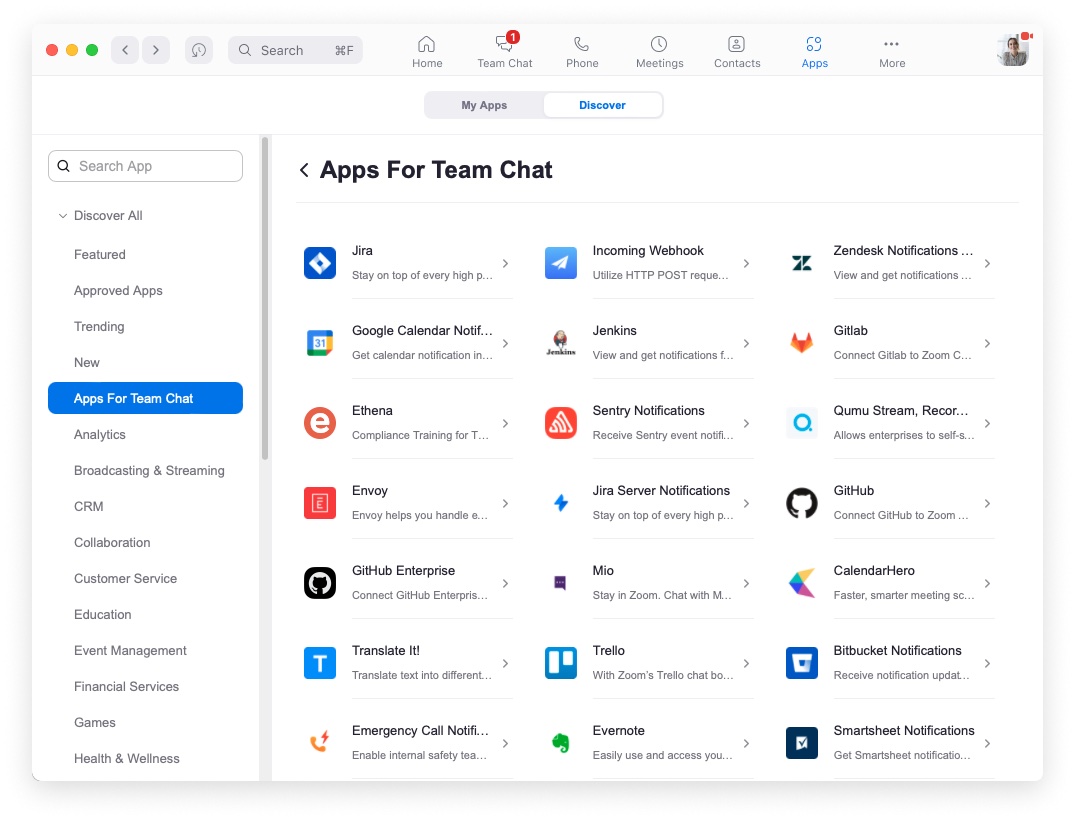



Collaborating in Zoom Chat is so much more than just a series of messages or chat conversations. It’s about getting work done and working with others in a way that is easy, enjoyable, and efficient.
As Zoom Chat continues to transform into a hub of collaboration, we know that integrating apps into your Zoom Chat experience is critical. Last month at Zoomtopia, we officially announced the introduction of Apps for Zoom Chat, which allow you to bring everyday work tasks into the space where conversations and decisions are happening. This means that you can access your favorite project management tools, sales tools, development tools, and more all without context switching or leaving Zoom.
Building on the recent releases of the Jira App and ServiceNow Virtual Agent, today we are thrilled to announce that the Salesforce App for Zoom Chat, one of our most requested applications, is now available for you to use.
Maintaining a strategic customer focus is essential to business success. You need the power to access and update important customer information, without having to think about how or where to do it. If you’re already using Zoom Chat and Salesforce, why not boost your productivity by using them together?

The Salesforce App for Zoom Chat brings Salesforce’s cloud-based CRM directly into Zoom. Whether you’re using it in a 1:1 chat, or a larger Zoom Chat or channel, the Salesforce App for Zoom Chat lets you:
With the new Salesforce App for Zoom Chat, you don’t have to waste time trying to track down and update a customer record.
The Salesforce App for Zoom Chat isn’t the only tool available to you in Zoom Chat. Three other recently released apps will also help improve personal and team productivity to help you gain valuable time back in your day.
Self-serve and address IT issues on the fly with our ServiceNow Virtual Agent App. The ServiceNow Virtual Agent App allows users in Zoom Chat to interact with a ServiceNow bot to create tickets, check status, and take action. It takes natural-language queries from users, like “Can’t get onto VPN,” and uses artificial intelligence and text analysis to parse those requests into a set of custom-scripted answers. More specifically, users in Zoom Chat will be able to engage with the virtual agent on tasks like requesting application support, hardware, or general IT help.

These automated queries eliminate redundant and repetitive tasks for service teams. More than just increased personal productivity, the ServiceNow Virtual Agent frees up team members’ time so that they can delve into complex issues and provide better one-on-one support.
Jira is Atlassian’s agile project management tool, and our Jira App for Zoom Chat helps you view, create, and update Jira issues directly from Zoom Chat. Preserve important issue details and save time by leveraging message shortcuts to quickly create or update Jira issues right from Zoom. You can also communicate more clearly with team members by sharing a Jira issue in your Zoom Chat message, allowing channel members to take quick actions from an interactive card.

Last month, we also launched the GitHub App for Zoom Chat, which allows you to connect your GitHub account to Zoom Chat so you can create, update, and get notifications about GitHub issues directly from Zoom Chat.
All of these apps are meant to save you time, which is why we’re focused on bringing all of your favorite apps into Zoom Chat. In the coming months, we plan to add Zoom Chat Apps for Asana, Confluence, Google Drive, Workday, and more to continue to help you work smarter, boost productivity, and reduce app fatigue from constant context switching.
Don’t see your favorite app listed in the Zoom App Marketplace for Zoom Chat? Let us know what apps you’d like us to add!
To access these apps, you’ll need access to Zoom Chat! Fortunately, Zoom Chat comes included with Zoom Meetings and Phone licenses and with all Zoom Workplace bundles. You can access it by downloading the desktop and mobile app here. If you already have Zoom downloaded, click the “Zoom Chat” icon to start chatting!
Next, visit the Zoom App Marketplace to discover which apps are available for Zoom Chat. From there, you can explore all of our apps, or filter specifically for Apps in Zoom Chat. As an admin, you can choose which apps you’d like to add to your account. As an end user, you can request to add specific apps for your admin to review and approve.
Once the apps have been successfully added, start using them, to bring your workflows right into Zoom and use your time more effectively!
Share Microsoft or Google files with your team directly from your Zoom Meeting — no sending links, no version confusion.

Deliver engaging visual communications throughout your office and work spaces with Korbyt.
 4 min read
Thanks to Zoom's vast marketplace of creative apps and practical integrations, you won't have to look far to add a little festive flair to your next Zoom meeting, webinar, or event.









