Public webinars are usually designed for marketing, thought leadership, or community engagement. They’re open to anyone with the link, which makes them powerful but also more susceptible to disruptions.
4. Manage chat activity
Chat can boost engagement or create distractions.
When to disable it: Focused sessions where interaction isn’t critical. Panelists can still chat privately.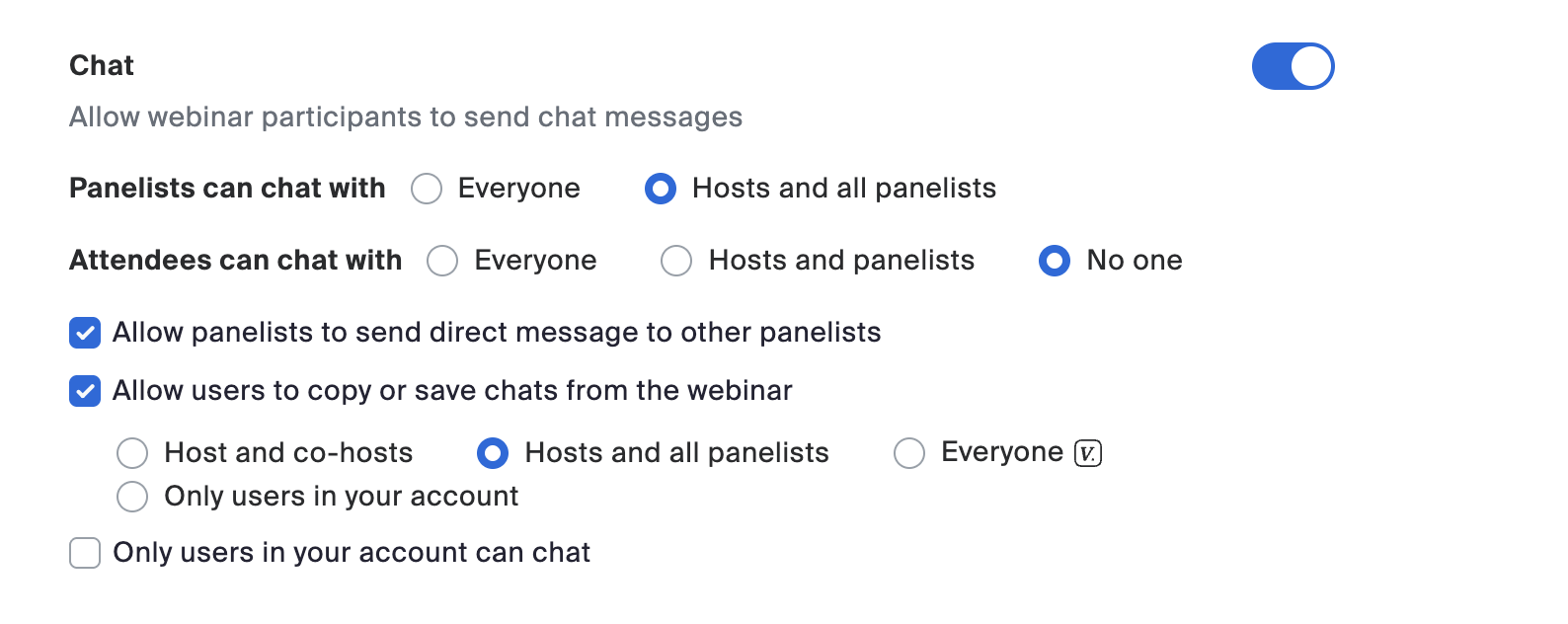
5. Control the Q&A
Q&A lets participants ask questions, but visibility should be managed.
Pro tip: Have at least one extra member of your team dedicated to managing the Q&A.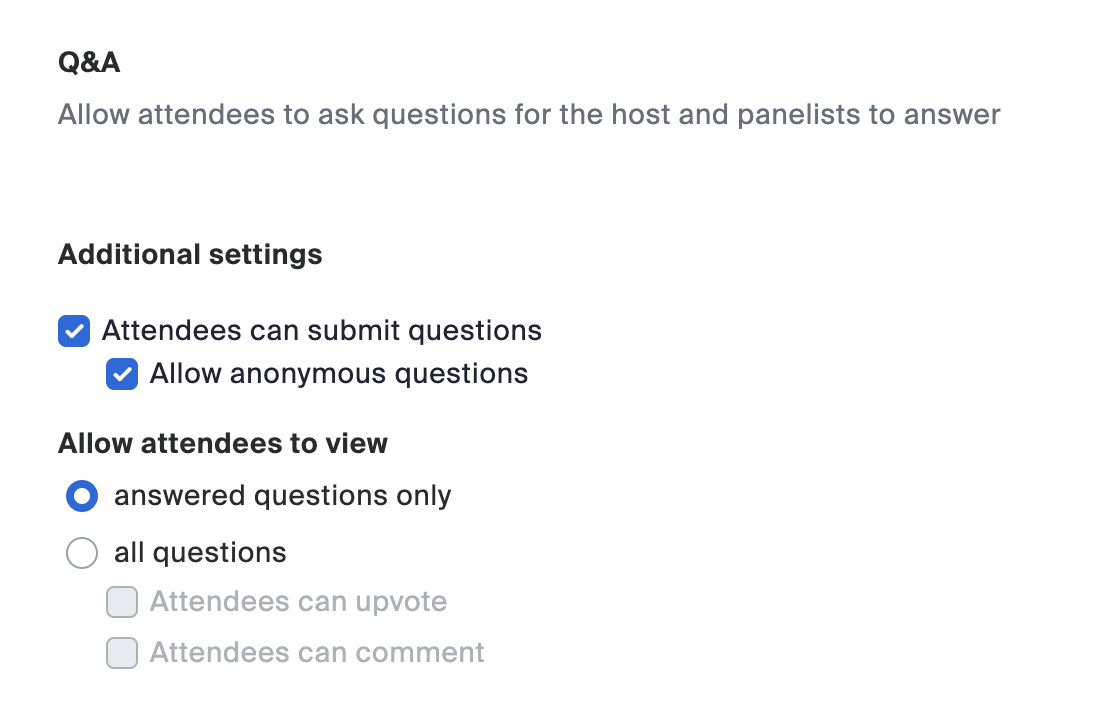
6. Use host controls to manage participants
If a disruption occurs, hosts can mute or remove panelists, promote attendees to panelists, or suspend all participant activity.
-
When to use it: If someone shares inappropriate content, quickly suspend activities, remove the participant, then resume the webinar. Make a brief announcement such as: “Thanks for your patience, we’ll continue in just a moment.”
-
Pro tip: For larger audiences (~70 attendees and above), have one or two colleagues manage the host controls in the background. This lets the moderator focus on the content and their voice-over.










 8 min read