




Meet Zoom AI Companion, your new AI assistant!
Boost productivity and team collaboration with Zoom AI Companion, available at no additional cost with eligible paid Zoom plans.
 7 min read
Published on February 14, 2025




Jitter is a common network issue that severely degrades audio quality during calls. For contact centers that rely on clear, uninterrupted communication on every call, jitter can lead to poor customer experiences and frustrated agents.
In this post, we break down what jitter is, why it happens, and how to reduce jitter. With a few simple steps, you can reduce jitter in your contact center and know exactly what to do when it occurs.
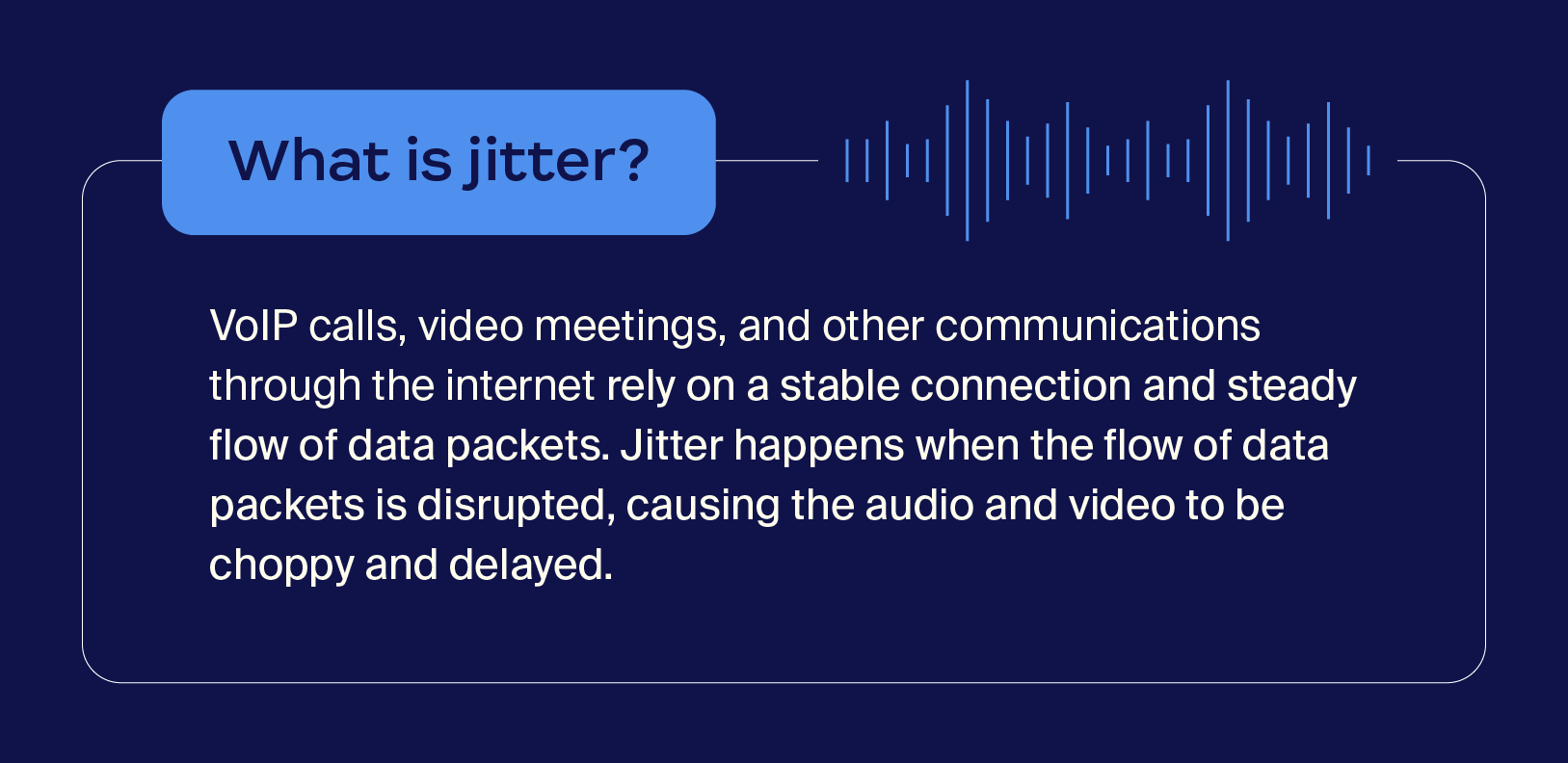
Jitter is a technical term for the variable delay of data packets (small units of data) as they travel across a network. Data packets are the fundamental enabler of online digital communication.
Modern contact centers use Voice over Internet Protocol (VoIP), which converts audio into data packets and transmits them between the parties on a call. When you experience jitter, data packets aren’t flowing smoothly, which can make audio sound choppy, robotic, or delayed.
Jitter impacts more than just audio call quality. The delayed speed of data packet transfers also decreases the quality of video calls, livestreaming, and chat latency. It delays and diminishes the quality of anything you do online.
Communication should be seamless, whether you’re making outbound sales calls or inbound customer service calls, but VoIP jitter creates major challenges. Some of the negative effects of VoIP jitter include:
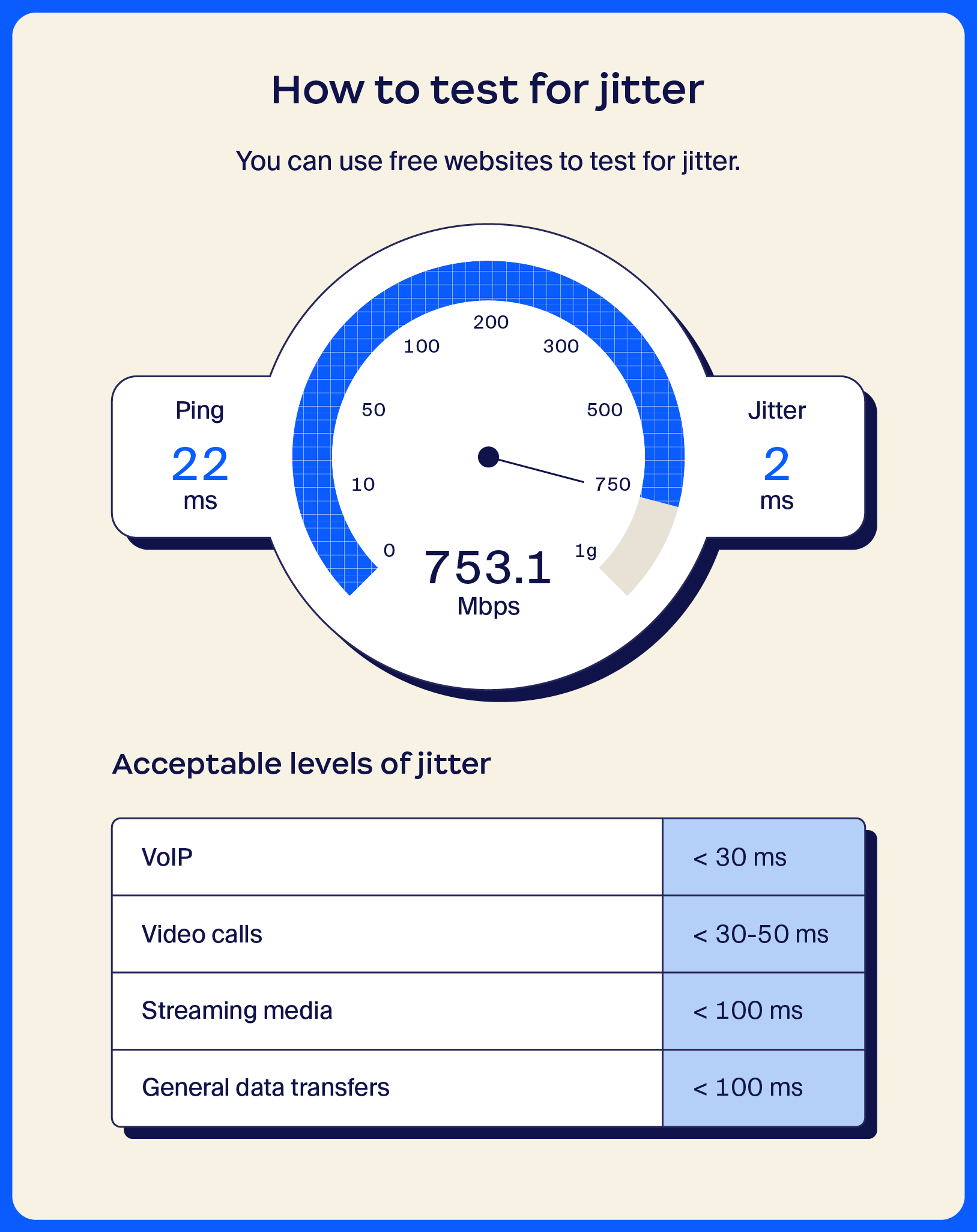
While jitter causes a variety of problems with VoIP and other applications, low levels of jitter don’t have a noticeable effect. The “acceptable” amount of jitter can vary from application to application, but a delay of roughly 30 milliseconds (ms) typically won’t cause distortion or disruptions.
Some applications have a higher tolerance for jitter before they start to degrade in quality. Below are some thresholds for when jitter is acceptable:
You can use one of many free, easy-to-use websites like Fusion Connect to run a network jitter test. In addition to jitter, it also shows your upload speed, download speed, and network latency.
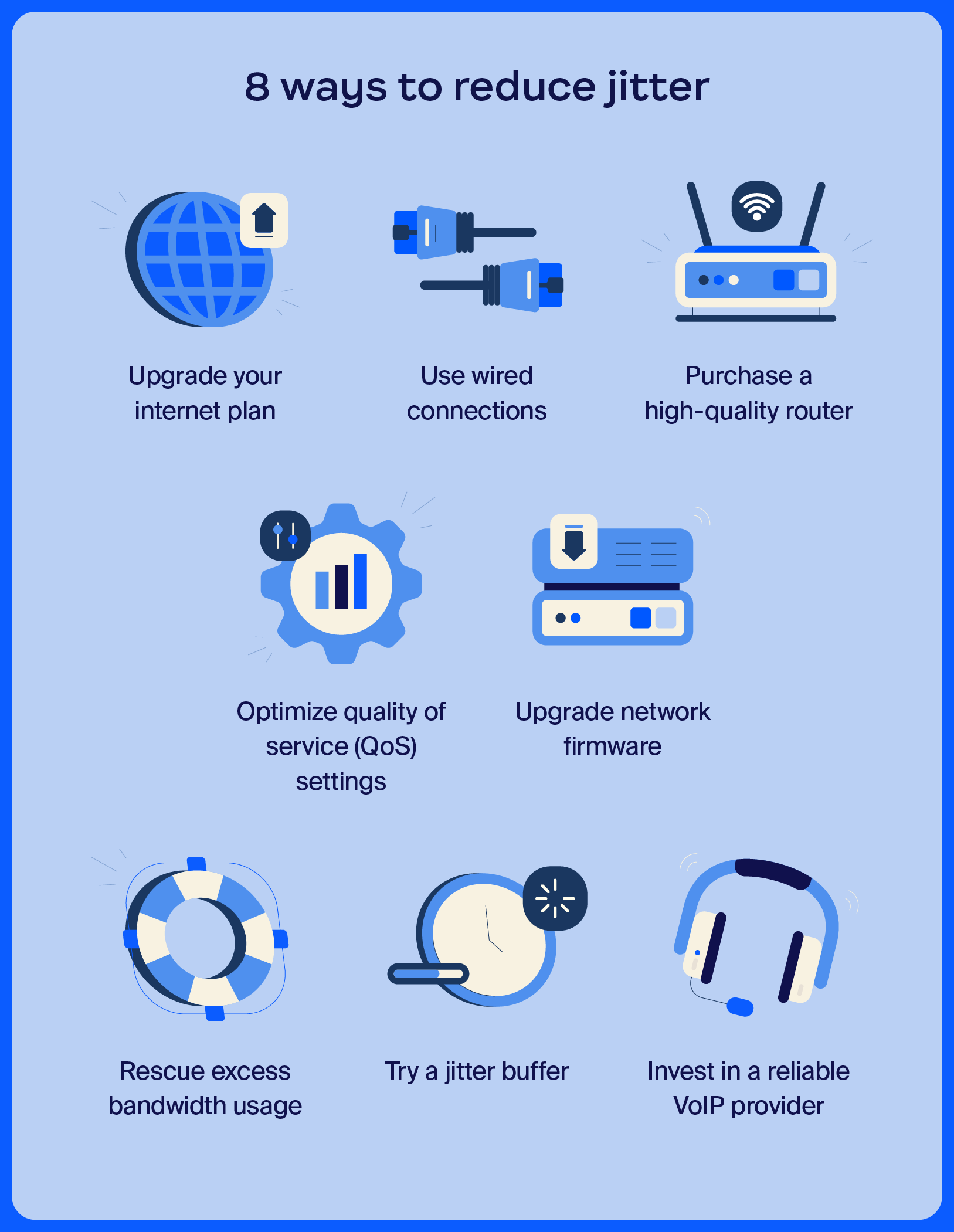
Now that you have a better understanding of what jitter is and how it impacts call quality, let’s explore some simple ways to minimize jitter. By implementing these strategies, your contact center can significantly enhance the overall customer experience and reduce obstacles for your agents.
A lack of bandwidth is a primary cause of jitter. Your contact center may be using a lower-tier internet plan with slow download and upload speeds. Upgrading your plan is like adding lanes to a road, allowing data packets to flow more freely.
Wireless technology offers the convenience of minimizing physical cord clutter, but it also comes with drawbacks that can cause jitter. Using wired connections that go straight to your switches and routers minimizes interference from other wireless networks, reducing the possibility of jitter.
Similar to upgrading your internet plan, investing in a high-quality router can reduce or eliminate jitter. Routers have bandwidth specifications, and a higher-quality router lets you transfer more data with less congestion.
Simply adjusting the quality of service settings may reduce your jitter. Your routers and switches usually have quality of service settings, or you may be able to change them through your ISP. You can often prioritize real-time applications like VoIP, video streaming, and more, optimizing your network to avoid jitter.
Firmware is the software that makes your network hardware run smoothly. If the firmware on your router and switches is out of date, it can cause jitter. You can often go to the manufacturer’s website to see if there are any firmware updates for your equipment.
Each device on a network uses bandwidth, and certain activities can use more bandwidth than others. For example, if you work from home and other people in the house are streaming videos and playing online games, they’re using bandwidth that can cause jitter. If you don’t upgrade your internet plan, you’ll need to find ways to reduce bandwidth usage from the other devices.
During VoIP calls, data packets are sent back and forth on the network, and sometimes they arrive out of order due to network congestion. A jitter buffer is a way to set up your network, acting as a waiting room that can hold packets, sort them, and send them in the proper order. This can help smooth out any delays or gaps that cause choppy calls.
If you try all of the above methods to reduce network jitter without good results, you may have an unreliable VoIP provider. Much like any other service or utility, some providers are better than others. It may be time to seek a provider that can deliver a reliable connection even in low-bandwidth environments, giving your contact center the quality service it deserves.
To find the right solution to reduce jitter, you’ll first need to figure out the cause. Here are some of the most common causes of jitter to look out for:
One of the best ways to reduce jitter is to use a robust VoIP service. Zoom Phone is a strong VoIP provider that seamlessly integrates with Zoom Contact Center. In addition to VoIP services, our software can help improve customer satisfaction, boost agent productivity, and provide your team with detailed insights to improve your operations.
With advanced features like AI-powered call routing and third-party integrations, Zoom Contact Center can help you deliver exceptional customer service and streamline day-to-day tasks. Book a demo today to see what Zoom Contact Center can do for you.
Below are answers to common questions about jitter.
Network issues, such as congestion, signal interference from other devices or physical barriers, or ISP data throttling, typically cause high jitter. It can also result from using outdated hardware (such as routers, modems, switches, and cables) or a lack of configurable quality of service settings.
Latency refers specifically to the time it takes for data packets to transfer between networks. Jitter, on the other hand, refers to inconsistencies in packet arrival times. When a caller notices lag-time between when they speak and when the other person hears it, that’s latency. When they experience distorted or choppy audio, that’s jitter.
Generally speaking, slower internet speeds lead to higher jitter, while faster connections lead to lower jitter.








