



Zoom Webinars

Measuring what matters to make every call, app, and AI interaction dependable
Read how dependable performance turns everyday communication into effortless connection.
 8 min read
Published on September 25, 2023



Robin Bunevich is a Product Marketing Manager at Zoom. She oversees product marketing and strategy for Zoom AI. After three years of leading marketing for Zoom’s Event Solution products, and launching one of the fastest growing products at Zoom, Zoom Events, she is now focused on helping organizations seamlessly adopt AI into their workflows. Prior to Zoom, she ran marketing for live events at The New York Times, and was instrumental in helping the organization transition to a fully virtual events program in March of 2020. At Zoom, Robin uses her 15 plus years of marketing and advertising experience to drive awareness and adoption for Zoom’s AI solutions.
No matter how you're using technology these days, AI has become integrated at some level, and it's important to make the most of it. A Morning Consult survey for Zoom* found that over 75% of AI-using leaders reported faster task completion, increased productivity, and higher-quality work. Building on these findings, Zoom recently announced ZoomMate, designed to further enhance team efficiency by transforming conversations into actionable results.
AI features in Zoom Workplace can help with this by automating tasks, surfacing insights, and helping you work smarter and faster. Designed to integrate with your Zoom Workplace experience, they offer a range of capabilities that can help you work smarter, not harder.
Whether you're preparing for meetings, managing projects, or responding to customers, let AI features in Zoom Workplace work in the background to proactively suggest next steps, enhance your schedule, and help you focus on the work that matters most.
AI features in Zoom Workplace can help you uncover critical information across conversations, documents, and apps through note-taking and retrieving relevant content. They help you be more effective with your time, handling the more tedious work across meetings, docs, chats, and more, so you can focus on the tasks that require your unique expertise. And, with ZoomMate, you'll be able to deliver high-quality work faster, whether creating content, responding to customer inquiries, or drafting strategic plans, all with minimal guidance, available at ai.zoom.com and in the ZoomMate tab in the Zoom Workplace app.
In this guide, we'll walk through how to activate AI features in Zoom Workplace, explore key functionalities, and share tips and tricks to help you make the most of AI in your workday.
Whether you're new to AI or have been exploring its benefits for a while, AI features in Zoom Workplace are designed to integrate into your workday without disrupting how you already work. They're context-aware, capturing the details of your conversations, documents, and tasks to help you focus on what matters most.
If you're short on time and have a mountain of chat messages to catch up on, message, doc, and thread summary can quickly summarize your chat threads and identify action items, helping you grasp the big picture and respond efficiently. When you use the enhanced "prepare me for a meeting" skill, you'll automatically get a summary of any agenda items, previous action items, and relevant insights before you meet. You can skip the scramble and go straight into a more effective discussion.
You can also get meeting summaries that highlight agenda items and break your meeting up into smart chapters—so you stay on top of your priorities with less manual effort. What's more, if you want the meeting summary, but don't want to record the full meeting, you can still get a meeting summary. No recording required.
Configure AI features in Zoom Workplace to capture insights across Zoom Meetings, in-person sessions, and meetings on other platforms like Microsoft Teams and Google Meet. AI features in Zoom Workplace organize your notes, expand on key takeaways, and surface critical information so you can act without digging through every conversation. With ZoomMate, intelligent search will allow you to search across Zoom Workplace, as well as connect Google and Microsoft apps, helping you quickly find the information you need to move projects forward.
According to the Zoom Morning Consult survey, the top task that leaders would be most willing to use AI for is real-time help during meetings, making AI support during meetings a valuable capability.
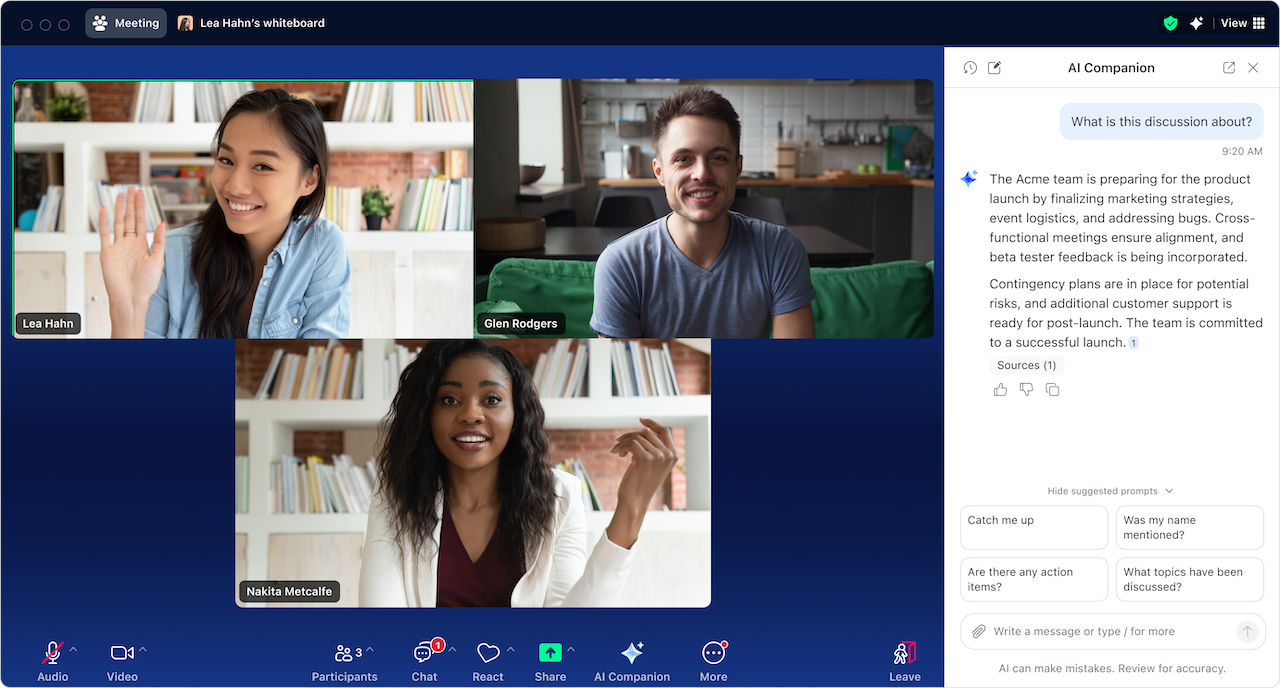
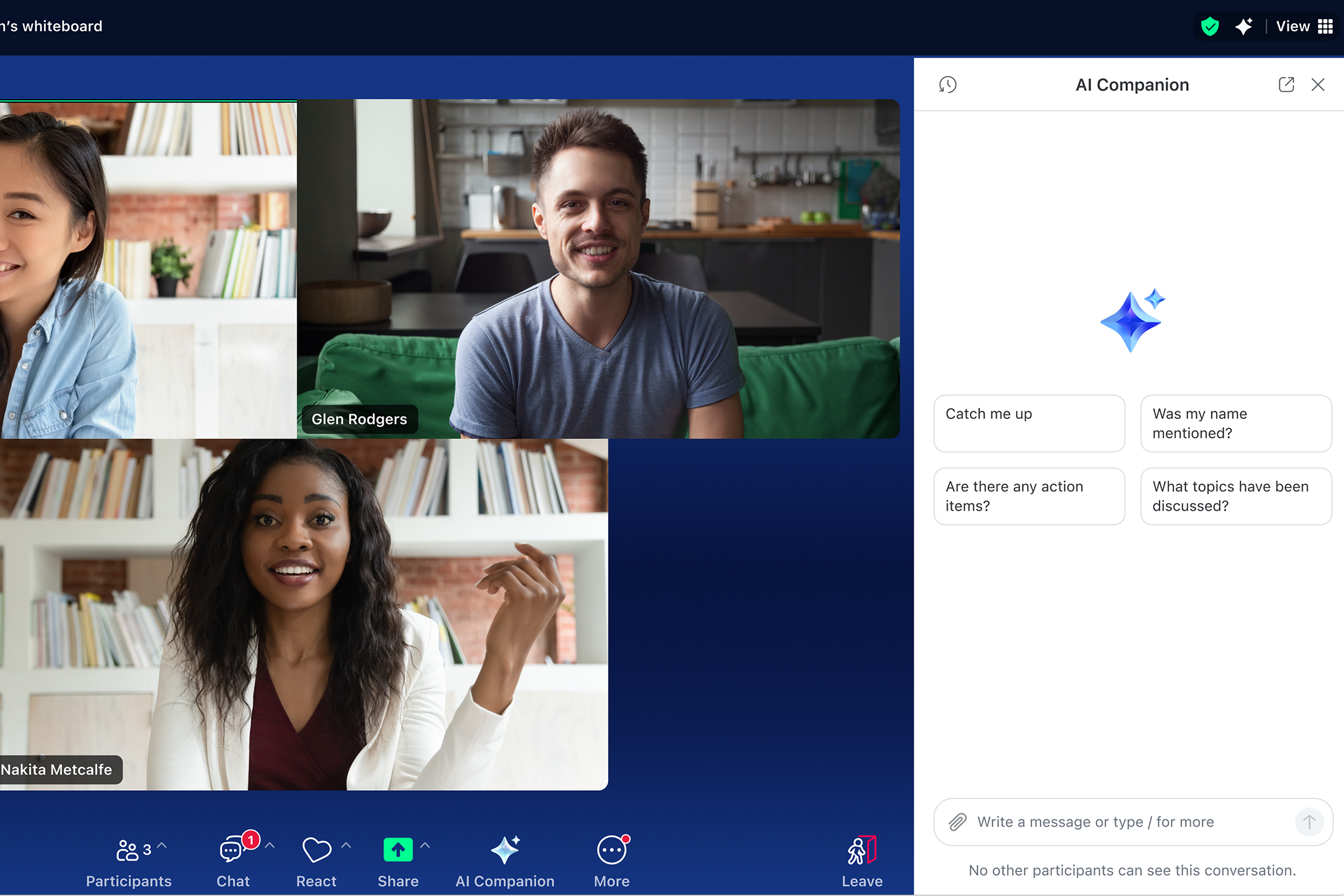
Get in-meeting assistance by chatting with AI Chat through the side panel, where you can request assistance with a wide range of tasks such as capturing feedback and discussion points, asking questions from the web, and learning more about attendees, like what their role is and what timezone they are in. Meeting hosts have settings to control whether they want participants to be able to ask questions about the meeting, including finding out about what happened before they joined. You can proactively track agenda items, highlight key decisions, and suggest next steps to help you stay focused and make the discussion more productive.
After the meeting, you can use the side panel to ask AI Chat questions about the meeting like, "What topics were covered?" or "Was my name mentioned?" AI features in Zoom Workplace can also summarize calls, SMS messages, and voicemails on Zoom Phone to make sure nothing is missed.
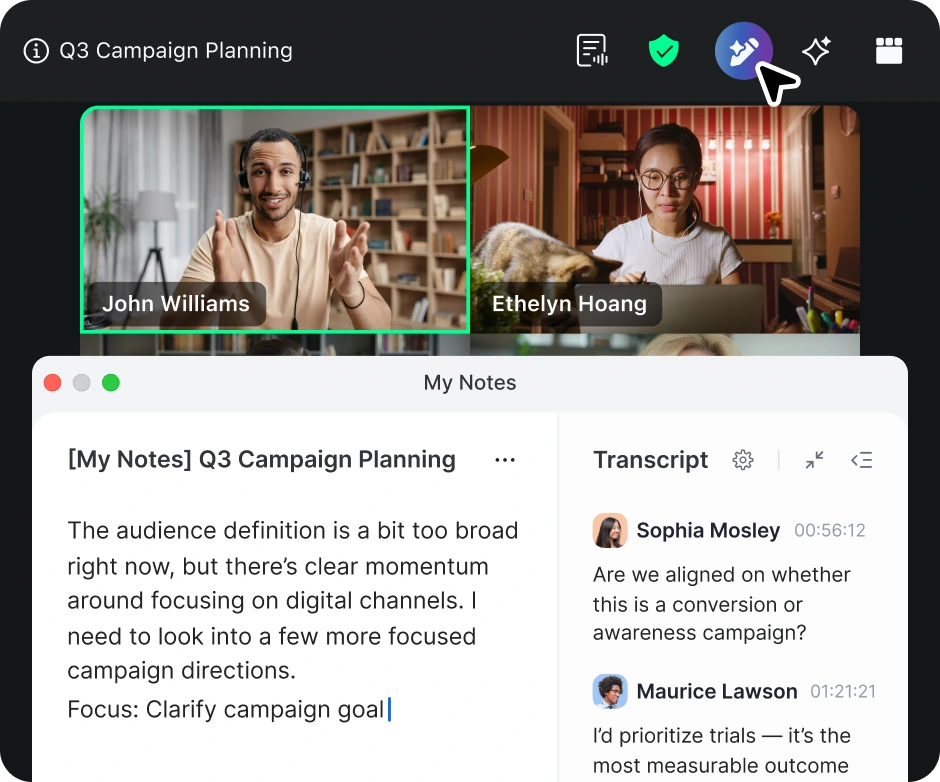
You'll be able to take notes right alongside your Zoom Meetings window with My Notes. You can take your own notes in My Notes, and when you're done, have your notes enhanced with the meeting transcript, automatically capturing and organizing the key takeaways. Everything is stored in Zoom Hub, so you can easily search and create documents based on your notes.
Employees spend more time drafting and sending emails and chat messages than anything else at work, according to the Zoom Morning Consult survey. Adding to that, 44% of employees say they spend more time on those tasks than they want to.
Within the AI side panel, you can ask it to help with things like:
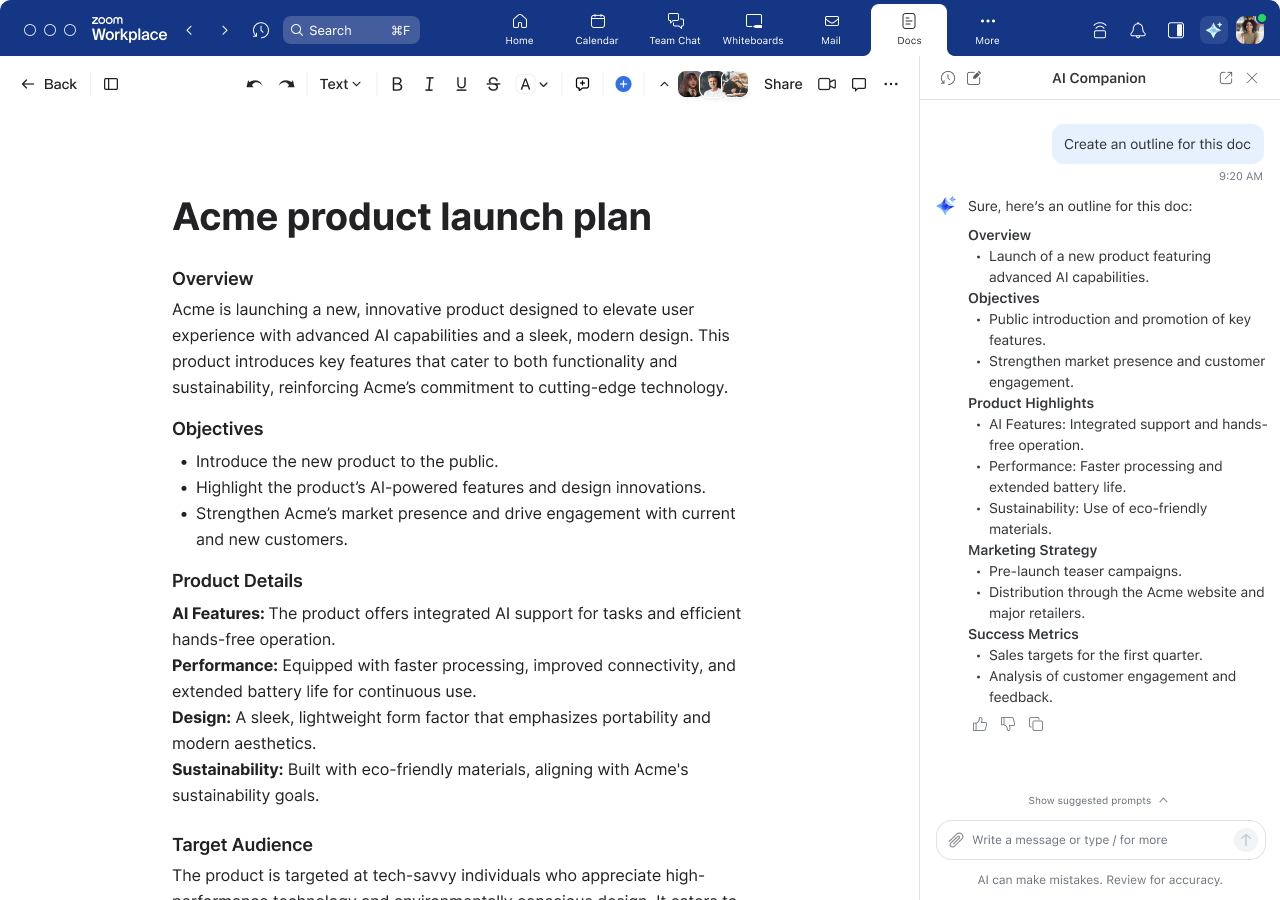
With the new interactive work surface on the web and in the Zoom Workplace app (coming soon), ZoomMate can help guide your writing and research in a centralized space, helping you create high-quality content faster with minimal manual effort.
To activate it:
To see when new ZoomMate and AI features are available, check for updates.

Here are some example prompts to get you started, along with features we plan to implement in the future. Try these example prompts, and remember that you can upload local documents:
Zoom Meetings
Zoom Chat
Zoom Canvas
Zoom Mail
AI Chat side panel
Actual AI feature results and response speed may vary depending on prompt, product settings, and available data. Zoom will continue to innovate and improve AI features over time, collect customer feedback, and improve responsiveness. At the time of writing, AI features are available in the Zoom Workplace app for macOS, Windows, iPhone, and Android, and ZoomMate is available at ai.zoom.us.
If you're ready to enhance your productivity and collaboration, start using AI features in Zoom Workplace today. ZoomMate features are available as an additional paid add-on.
If you don't have an eligible paid Zoom plan, upgrade today to access the benefits of AI in Zoom Workplace. It's time to work smarter, collaborate more effectively, and achieve your goals with ease.
If you want even more tips and tricks for AI in Zoom Workplace, check out these resources:
Editor's note: This blog post was edited in June 2026 to include the most up-to-date information on AI in Zoom Workplace.
*Based on an online survey of 11,023 full-time knowledge workers in the U.S., U.K., Ireland, Germany, France, Japan, Singapore, and Australia. Conducted by Morning Consult on behalf of Zoom Communications, Inc., from August 10 to 25, 2023.
AI features are included with eligible paid Zoom Workplace plans and may not be available for all regions or industry verticals.
Read how dependable performance turns everyday communication into effortless connection.
 5 min read

The real impact of AI on legal work









