Skip the complicated, standalone software and unlock visual collaboration with an intuitive solution that’s already part of your Zoom Workplace plan.
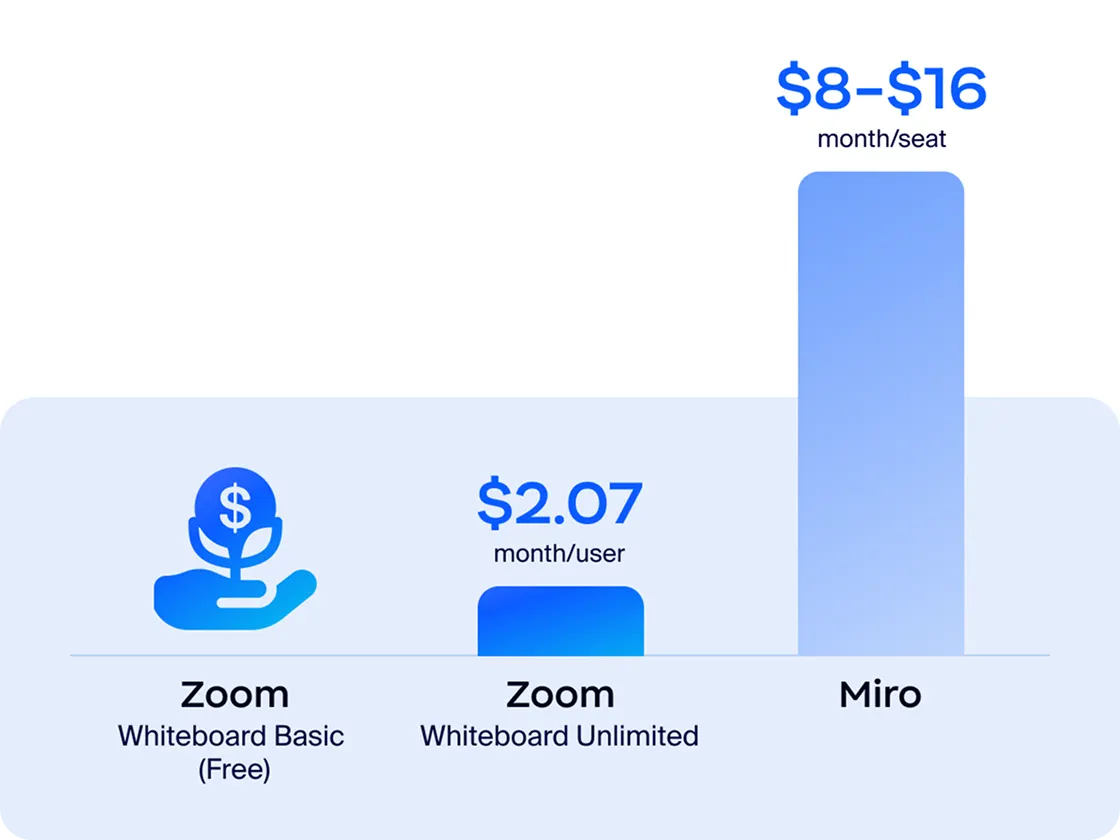
Skip the complicated, standalone software and unlock visual collaboration with an intuitive solution that’s already part of your Zoom Workplace plan.
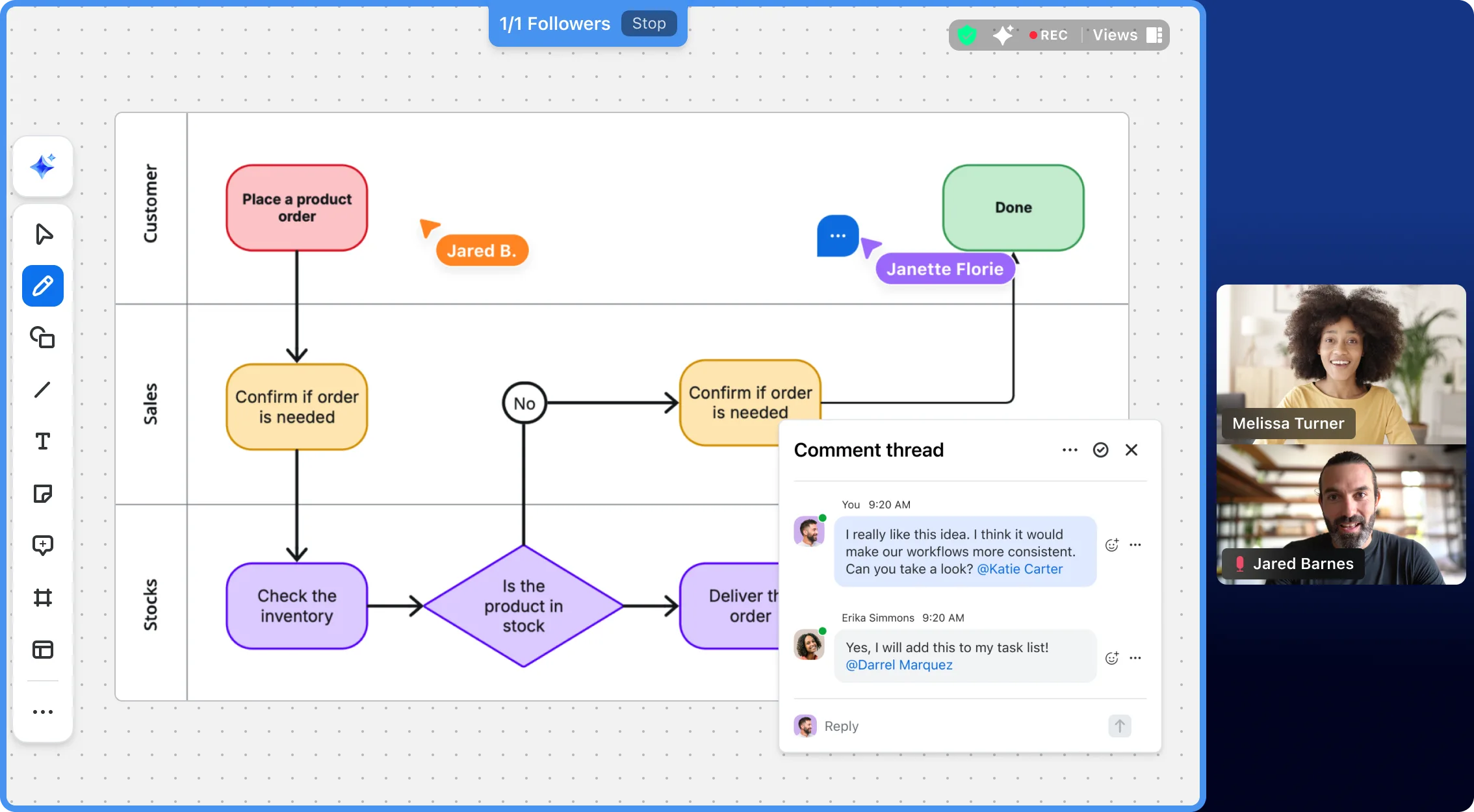

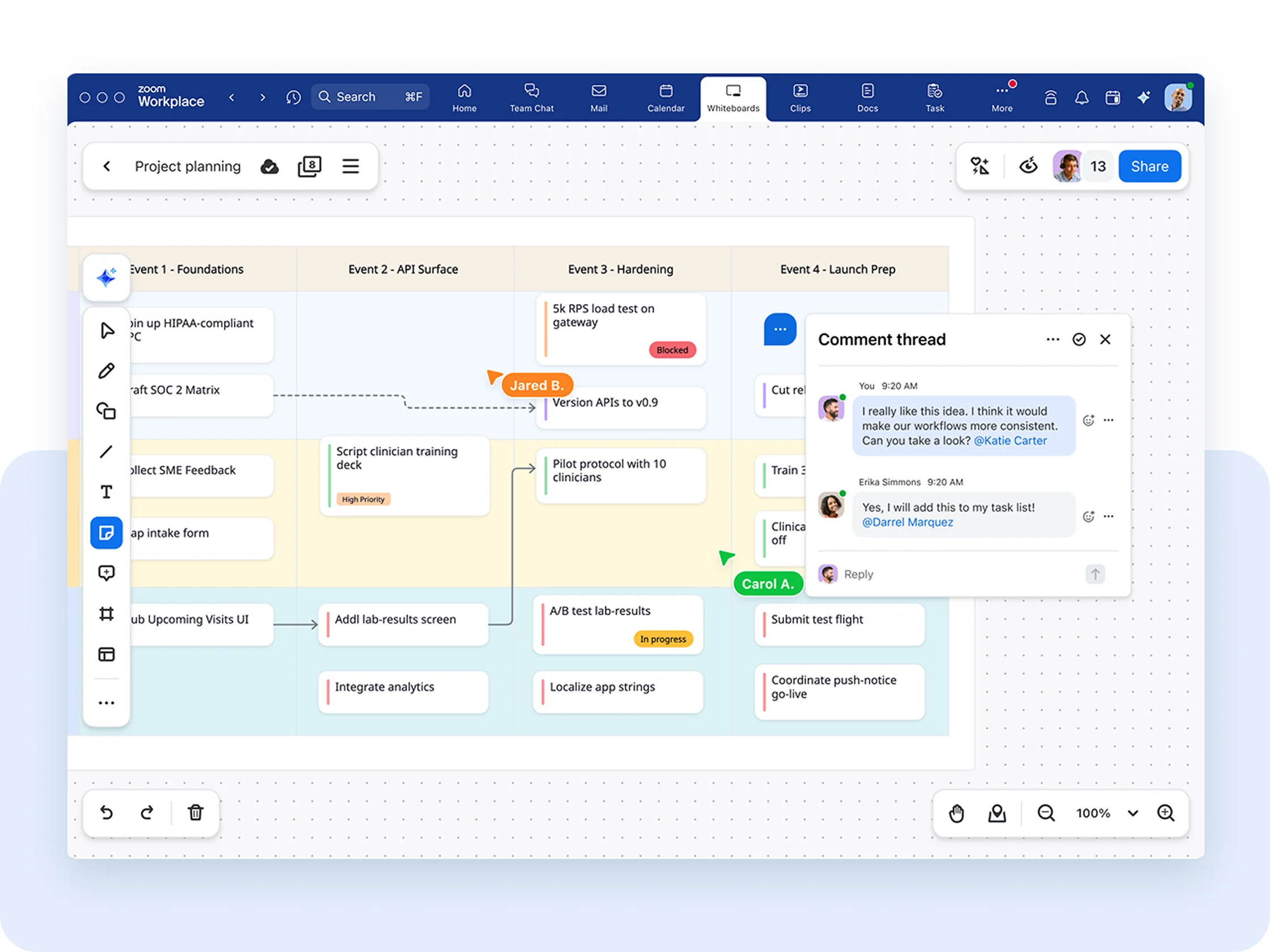
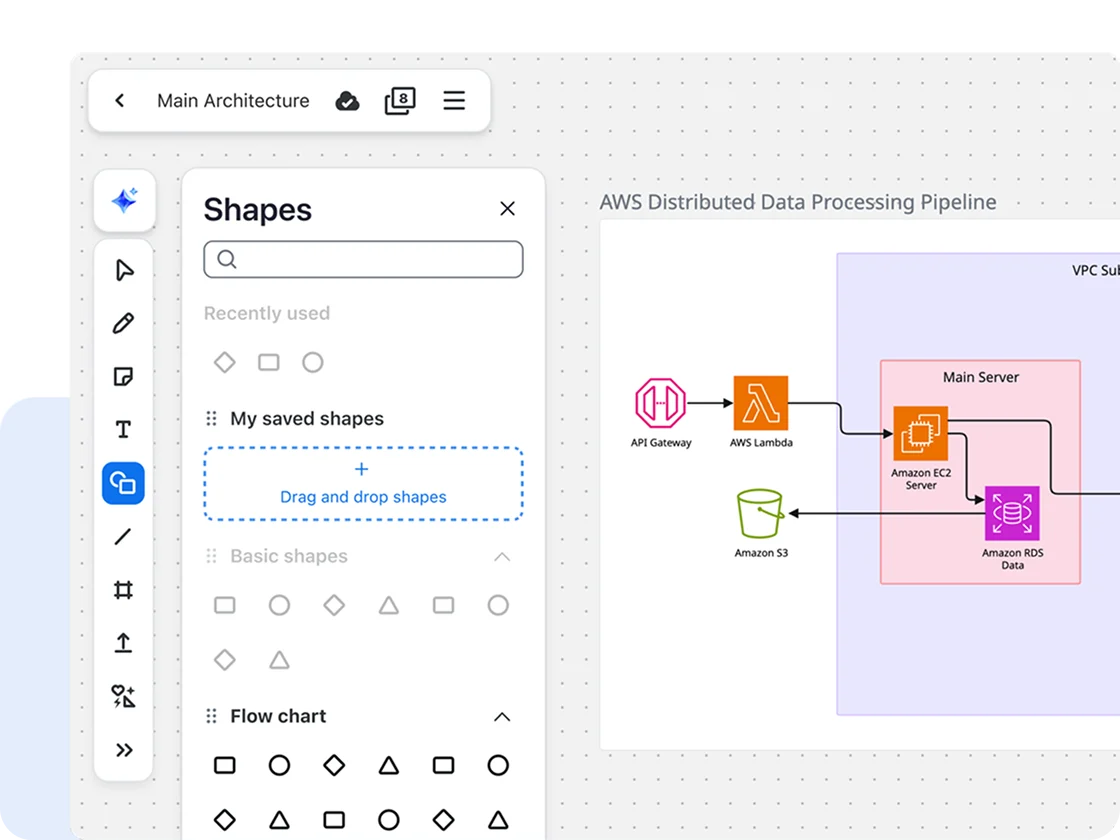
From dynamic mind mapping to interactive presentations, Zoom Whiteboard delivers a robust visual collaboration experience with the features your teams need to succeed.

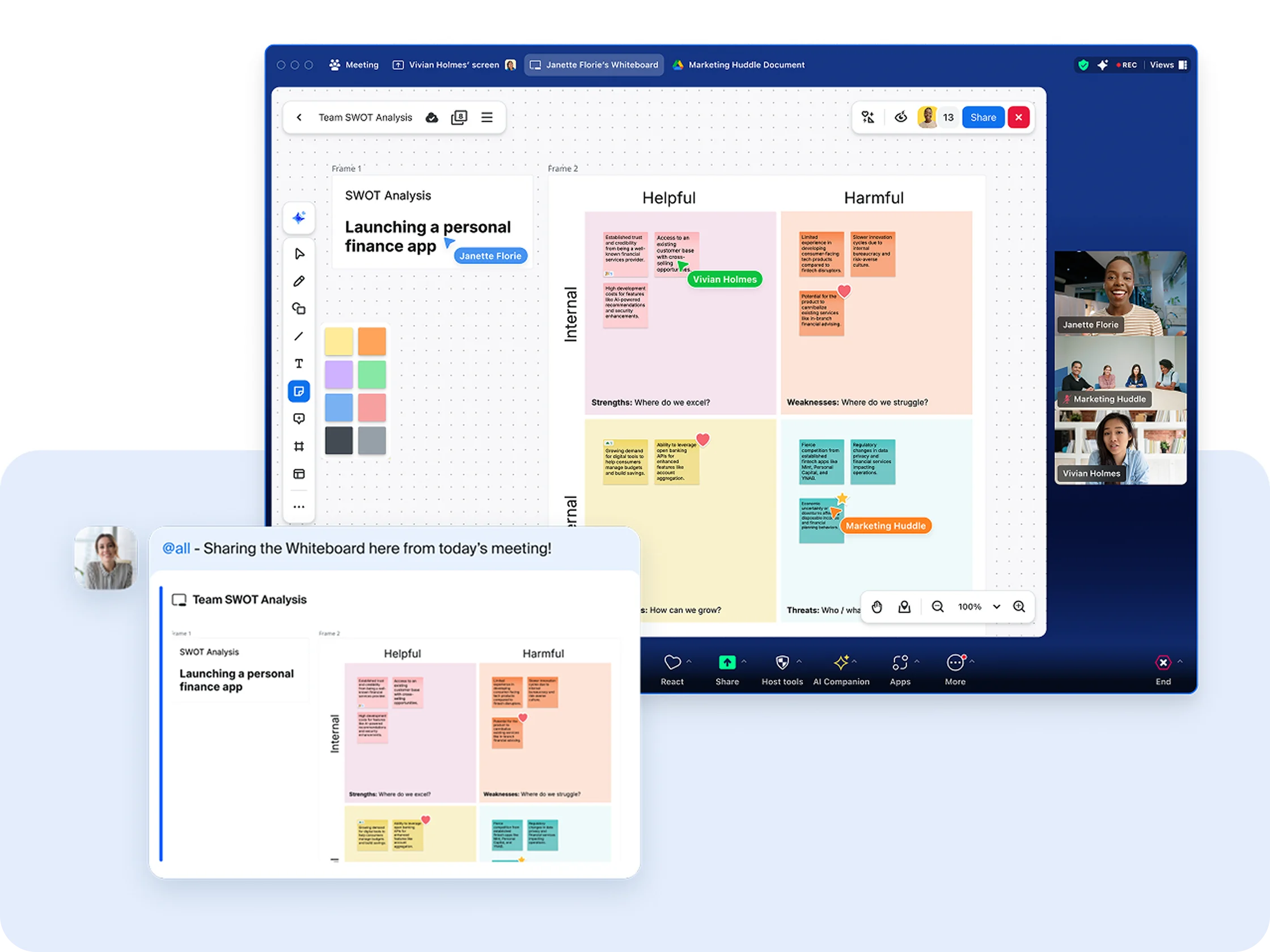
Experience the freedom of creating a whiteboard in a fully connected ecosystem where your entire team can collaborate across Zoom's platform without wrestling with multiple logins or links.

Built into your Zoom Workplace plan, Zoom Whiteboard delivers the core collaboration tools and features your entire team needs without requiring extra subscriptions.


Add-on Whiteboard Unlimited to any Zoom
Workplace plan starting at $2.07/month/
user
Whiteboard Basic is included in Zoom
Workplace Basic (free) and Pro plans
Whiteboard Unlimited is included with Zoom
Workplace Business, Business Plus, and
Enterprise Essentials
Whiteboard Plus, our most comprehensive
plan, is included in Enterprise Plus or as a
separate add-on
$8-$16/month/seat
Zoom Workplace free and paid
plans allow invited users to edit
boards they are granted access to
Enterprise free users are
restricted to view and comment
Digital whiteboard tools like
annotations, text, notes, shapes,
lines, and images
Create meaningful whiteboards
with extensive icon and shape
libraries, connectors, alignment
and snapping functionality, and
layers
Zoom Workplace free and paid
plans allow invited users to edit
boards they are granted access to
Manage custom organization-
wide shape libraries
Miro does not support
organization-wide shape
libraries
Create tables, mind maps, cards,
Kanban, and flowcharts
Integrate with third-party project
management tools (Jira, Asana,
Azure DevOps)Integrate with
third-party project management
tools (Jira, Asana, Azure DevOps)
Create a whiteboard quickly with access to 250+
customizable templates
Import PDFs, PPTs, and docs directly from OneDrive
and Google Drive
Embed whiteboards in Zoom Docs and other doc
apps like Coda and Confluence
Export whiteboards as a PDF, PPT, CSV, or image file
Use text prompts to jumpstart whiteboard creation —
generate text, tables, notes, mind maps, and
flowcharts
Use AI to organize and classify notes
Create multi-page boards
Miro does not support pages
Access version history, advanced grouping and
sorting, and live activity logs
Engage audiences with intuitive tools like
presentation mode, follow-along, frames, laser
pointer, timer, and voting sessions
Quickly and easily share a whiteboard to a Zoom
Room device
Miro does not support a process to quickly share a whiteboard
Quickly create a whiteboard and easily assign
ownership of it on a Zoom Room device
Miro does not support a process to easily assign
ownership of a whiteboard
Support for most digital touch displays
Collaborate fully within Zoom — no need to switch
between apps
Miro is a standalone app/website
Access host controls for advanced in-meeting
permission management, and non-authenticated
access in-meeting
Miro does not support meeting-specific permission
controls
Create and share a whiteboard in-meeting
Launch Zoom Meetings with whiteboard participants
Manage access to whiteboards, including co-owners,
locking, sharing restrictions, and visitor links
*Feature comparisons based on publicly available information as of April 2025.
Whiteboard Basic is included in Zoom
Workplace Basic (free) and Pro plans
Whiteboard Unlimited is included with Zoom
Workplace Business, Business Plus, and
Enterprise Essentials
Whiteboard Plus, our most comprehensive
plan, is included in Enterprise Plus or as a
separate add-on
Free tier
$9.99-$17.99/month/user (billed annually)
Digital whiteboard tools like
annotations, text, notes, shapes,
lines, and images
Involve whiteboard participants
with action buttons, code blocks,
cards, and stamps
Create meaningful whiteboards
with extensive icon and shape
libraries, connectors, alignment
and snapping functionality, and
layers
Manage custom organization-
wide shape libraries
Create tables, mind maps, cards,
Kanban, and flowcharts
Integrate with 3rd-party project
management tools (Jira, Asana,
Azure DevOps)
Create a whiteboard quickly with
access to 250+ customizable
templates
Import PDFs, PPTs, and docs directly from OneDrive
and Google Drive
Embed whiteboards in Zoom Docs and other doc
apps like Coda and Confluence
Mural does not support editable embed views in
other doc apps
Export whiteboards as a PDF, PPT, CSV, or image file
Mural does not support export as PPT files
Use Zoom AI Companion for advanced diagram
creation — generate tables, mind maps, and
flowcharts
Mural does not support advanced diagram creation
using AI
Use Zoom AI Companion to generate notes and text,
as well as organize and classify notes
Create multi-page boards
Access version history, advanced grouping and
sorting, and live activity logs
Use migration tools to import whiteboard content
from Miro, Mural, Lucid, and Visio
Engage audiences with intuitive tools like
presentation mode, follow-along, frames, laser
pointer, timer, and voting sessions
Stay in sync on team projects with Zoom Chat,
tightly woven into Zoom Workplace
Mural does not support Zoom Chat
Integrate with third-party communication tools like
Microsoft Teams and Slack
Quickly and easily share a whiteboard to a Zoom
Room device
Mural does not support a process to quickly share a
whiteboard
Quickly create a whiteboard and easily assign
ownership of it on a Zoom Room device
Mural does not support a process to easily assign
ownership of a whiteboard
Support for most digital touch displays
Collaborate fully within Zoom — no need to switch
between apps
Mural is a standalone app/website
Access host controls for advanced in-meeting
permission management, and non-authenticated
access in-meeting
Mural does not support meeting-specific permission controls
Create and share a whiteboard in-meeting
Launch Zoom Meetings with whiteboard participants
Embed live whiteboards in Zoom Docs
Mural does not support embedding in Zoom Docs
Embed live whiteboards in third-party tools Coda and Confluence
Mural does not support live editing embed
Manage access to whiteboards, including co-owners,
locking, sharing restrictions, and visitor links
Make collaborative projects easy to manage by
tagging favorite whiteboards
Find whiteboards easily with dashboard search, sort
and filter, or title and content search
Enhance security and access with SSO, 2FA, sharing
policies, account sharing settings, and admin roles
Encryption, Customer Managed Keys, data in transit,
and residency controls
Webhooks and APIs, archiving tools, activity logs,
content management tools, Theta Lake support, data
retention policies, custom disclaimers, analytics dashboards
Zoom Compliance Manager, providing data
governance, information protection, risk
management, and communications compliance
across the Zoom platform
Mural does not support Zoom Compliance Manager
*Feature comparisons based on publicly available information as of April 2025.
Whiteboard Basic is included in Zoom
Workplace Basic (free) and Pro plans
Whiteboard Unlimited is included with Zoom
Workplace Business, Business Plus, and
Enterprise Essentials
Whiteboard Plus, our most comprehensive
plan, is included in Enterprise Plus or as a
separate add-on
Free tier
$13.50-$15/month/user (bundle with Lucidchart and Lucidspark)
Zoom Workplace free and paid
plans allow invited users to edit
boards they are granted access to
Limited to paid users
Digital whiteboard tools like
annotations, text, notes, shapes,
lines, and images
All of the tools you need for
online whiteboarding, including
shape and icon libraries, connectors, and
alignment and snapping functionality
Create advanced diagrams with
layers, extensive line types, and
containers
Manage custom organization-
wide shape libraries
Create tables, mind maps, cards,
Kanban, and flowcharts
Integrate with 3rd-party project
management tools (Jira, Asana,
Azure DevOps)
Create a whiteboard quickly with
access to 250+ customizable
templates
Import PDFs, PPTs, and docs directly from OneDrive
and Google Drive
Embed whiteboards in Zoom Docs and other doc
apps like Coda and Confluence
Export whiteboards as a PDF, PPT, CSV, or image file
Use text prompts to jumpstart whiteboard creation —
generate text, tables, notes, mind maps, and
flowcharts
Use AI to organize and classify notes
Create multi-page boards
Access version history, advanced grouping and
sorting, and live activity logs
Use migration tools to import whiteboard content
from Miro, Mural, Lucid, and Visio
Engage audiences with intuitive tools like
presentation mode, follow-along, frames, laser
pointer, timer, and voting sessions
Stay in sync on team projects with Zoom Chat,
tightly woven into Zoom Workplace
Lucidchart does not support Zoom Chat
Integrate with third-party communication tools like
Microsoft Teams and Slack
Quickly and easily share a whiteboard to a Zoom
Room device
Lucidchart does not support a process to quickly
share a whiteboard
Quickly create a whiteboard and easily assign
ownership of it on a Zoom Room device
Lucidchart does not support a process to easily
assign ownership of a whiteboard
Support for most digital touch displays
Collaborate fully within Zoom — no need to switch
between apps
Lucidchart is a standalone app/website
Access host controls for advanced in-meeting
permission management, and non-authenticated
access in-meeting
Lucidchart does not support meeting-specific
permission controls
Create and share a whiteboard in-meeting
Launch Zoom Meetings with whiteboard participants
Embed live whiteboards in Zoom Docs
Embed live whiteboards in third-party tools Coda and
Confluence
Manage access to whiteboards, including co-owners,
locking, sharing restrictions, and visitor links
Make collaborative projects easy to manage by
tagging favorite whiteboards
Find whiteboards easily with dashboard search, sort
and filter, or title and content search
Enhance security and access with SSO, 2FA,
sharing policies, account sharing settings, and admin roles
Encryption, Customer Managed Keys, data in transit,
and residency controls
Webhooks and APIs, archiving tools, activity logs,
content management tools, Theta Lake support, data
retention policies, custom disclaimers, analytics
dashboards
Zoom Compliance Manager, providing data
governance, information protection, risk
management, and communications compliance
across the Zoom platform
Lucidchart does not support Zoom Compliance
Manager
*Feature comparisons based on publicly available information as of April 2025.