Small Business AI Zoom Workplace

How small businesses are winning with AI-generated video: insights from our latest survey

AI avatars, async video, and zero filming—how small businesses are creating professional content in minutes

5 min read

Updated on March 18, 2026

Published on March 18, 2026

Image Placeholder
Running a small business means juggling endless communication tasks: updating your team on project changes, onboarding new clients, sending product demos to prospects. Each one eats hours you need for actually running your business, whether it's coordinating calendars for another meeting or putting off that camera-ready video for another day.
 
We recently surveyed business leaders at nearly 90 companies ranging from one to 199 employees to understand their biggest video communication challenges. Over 70% rated AI-driven video creation as "very appealing," with small business owners showing they're hungry for AI-first solutions that save time without sacrificing professionalism.
 
The solution? AI-generated video creation that doesn't involve unnecessary meetings, complicated editing software, or even stepping in front of a camera.

The small business video communication struggle is real

Our survey revealed three major pain points, with AI emerging as the solution small businesses have been waiting for. When asked to identify their biggest video communication challenge:
 
  • Time is the enemy. Over 50% of small business respondents said their main pain point is that "it takes too long to record or edit" videos. When you're wearing multiple hats, spending hours on video production simply isn't an option.
  • Tool overload is exhausting. About 25-30% of small businesses reported their main frustration was that there is "too many tools or steps involved" in creating video content. When you're already managing dozens of apps, adding another complicated platform feels impossible.
  • Looking professional is hard. Around 15-20% of respondents shared their primary concern was looking professional on camera or maintaining consistent messaging across the team.
You're not alone if these pain points sound familiar. Our survey didn't just identify pain points, it revealed strong enthusiasm for a specific AI-first video solution that addresses all three challenges—and it's already included in your Zoom Workplace plan.
 

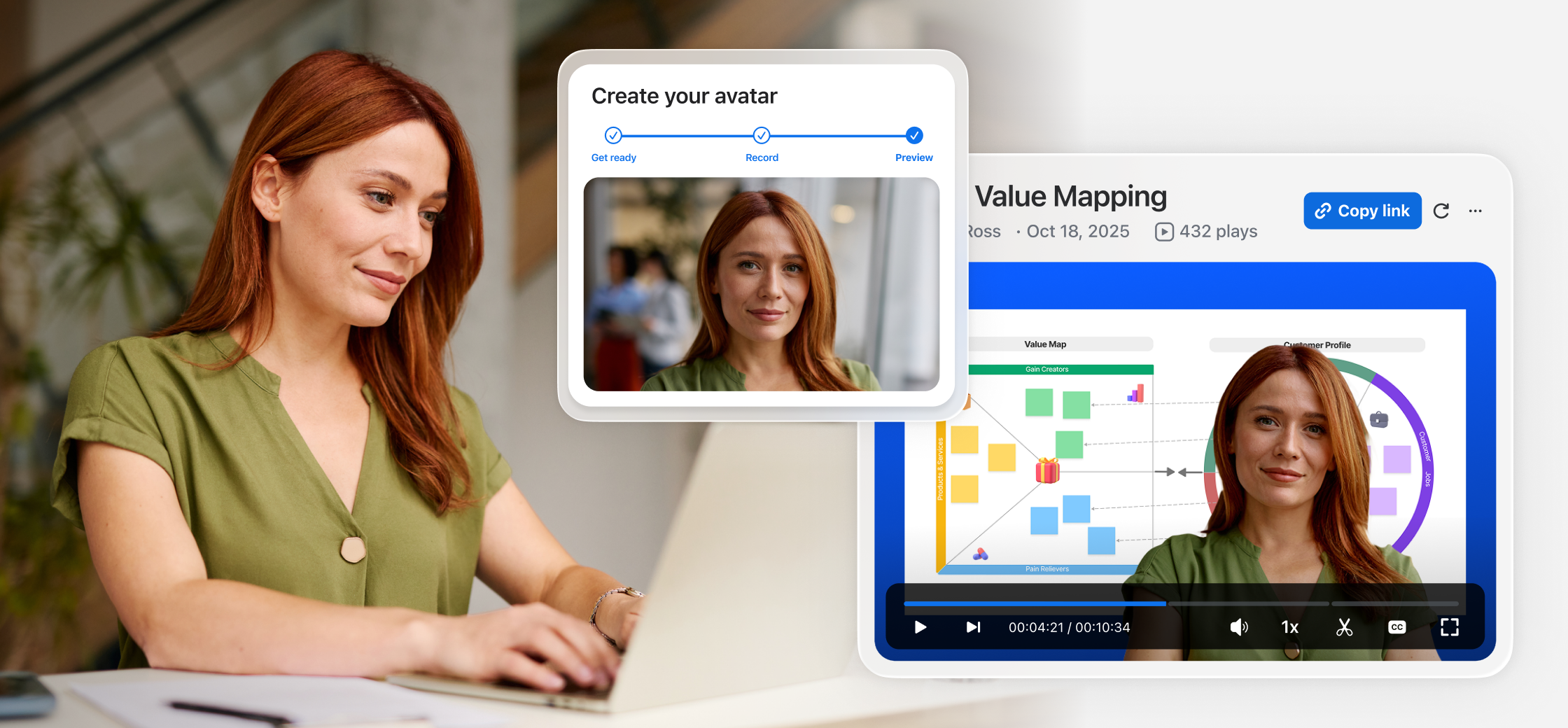
Let your AI avatar present on your behalf

What small businesses actually want (and AI delivers)

When we asked small business owners about their ideal video solution, the response was clear: Over 70% rated the ability to create professional videos from written scripts—no camera needed—as "very appealing." Among micro and small businesses (49 employees or less) specifically, that number jumped to about 80%, showing script-to-video creation resonates most with the smallest, most resource-constrained teams. And about 70% of businesses with 50-199 employees expressed strong adoption interest, particularly for internal training and updates.
 
This enthusiasm for AI-generated video spans a range of critical business operations:
 
  • Internal training and announcements
  • Customer onboarding and support
  • Marketing outreach and sales follow-ups
  • Project updates and team communications
And AI-first features transform how to approach these operations efficiently when resources are limited.

The AI features small businesses value most

Our survey identified the top AI capabilities that small business leaders ranked as most valuable:
 
  1. Script-to-video automation. The ability to turn written content into polished video content using AI topped the list. This means you can draft your message once and let AI handle the production, including AI avatars that can deliver your message professionally without you ever appearing on camera.
  2. Simple integration with existing tools. Small businesses don't want another standalone platform. They want video solutions that work seamlessly with their chat, docs, and meeting tools.
  3. Secure sharing and content management. Even smaller organizations need enterprise-grade security and control over who can access and share their video content.
  4. Multilingual translation and dubbing. For micro and small businesses serving global customers or distributed teams, the ability to automatically translate and dub videos into multiple languages removes a major barrier to international communication.
  5. Custom avatars that look and sound like you. The ability to create personalized AI avatars adds authenticity and consistency to your video communications.
The survey revealed a promising split: approximately 45-50% of respondents said they were "somewhat" or "very likely" to use AI-generated avatars for business videos, while about 40% were "unsure" or "unlikely." This tells us that with the right approach—emphasizing control, security, and authenticity—AI avatars represent a significant opportunity for SMBs ready to innovate.

What makes SMBs comfortable using AI avatars?

Survey respondents ranked these factors as most important:
 
30% — Data security and content security
 
25% — Control over where and how avatars are used
 
20% — Ability to review and edit before sharing
 
15% — High-quality, realistic output
 
10% — Clear disclosure of AI use
 
Zoom Clips with custom avatars delivers on all five.

Real-world use cases powered by AI avatars

Let's get practical. Here's how small businesses can use AI-generated video tools like Zoom Clips with AI avatars to save time and scale their communications:
 

HR and internal communications

Streamline onboarding with reusable welcome videos using your custom AI avatar—no recurring meetings required. Share consistent policy updates across regions using multi-language AI avatar Clips. Replace long docs with short AI-generated videos employees can watch on their own time.
 

Sales follow-ups and demos

Turn notes into on-brand AI-generated videos for recaps and reminders. Generate personalized walkthroughs at scale. Keep teams and buyers aligned with a single AI avatar video shared across Docs, Chat, or Mail. Easily translate videos into each prospect's language.
 

Customer onboarding and support

Create reusable customer walkthroughs in minutes using AI avatars to answer FAQs or show new features—no video team needed. Onboard customers faster globally using script-to-video and auto-translation. Keep internal teams aligned by turning product updates into shareable Clips.
 

Marketing and campaign content

Use AI to turn briefs or scripts into ready-to-go video content with AI avatars, titles, and chapters. Create once, then localize for all audiences—quickly update branding, messaging, or voiceovers and translate your Clip to fit global campaigns.
 

IT operations and enablement

Streamline system rollouts and policy changes without scheduling live meetings across time zones. Create security reminders that reach every employee consistently, deliver change-management briefings that stay on-brand, and reduce support tickets by turning common IT FAQs into short, reusable Clips.

Why Zoom Clips with AI avatars is built for small businesses

No meetings. No filming. Just professional, shareable videos instantly.
 
This message resonated with the majority of participants as somewhat to strongly reflective of their needs. Zoom Clips with AI avatars checks all the boxes our survey respondents said mattered most:
 
  • No meetings. No filming. Just AI. Create professional videos from text scripts in minutes using AI avatars. No camera setup, no lighting considerations, no awkward takes—just your message delivered professionally by your custom AI avatar.
  • Built into Zoom Workplace. If you're already using an eligible Zoom Workplace plan, Clips is right there—no new tool to learn, no additional login, no integration headaches.
  • Security and control. Custom avatars come with enterprise-grade safeguards including unique passcode authorization, gesture verification, and video watermarking. You control who can view your Clips and track engagement to help your content and your likeness stay protected.
  • AI that works for you. From script-to-video automation to custom AI avatars that look and sound like you, to auto-translation in up to 16 languages—the AI technology handles the heavy lifting so you can focus on your message, not the mechanics.
Unlike complicated video editing software or standalone AI tools, Clips is designed for speed and simplicity within Zoom Workplace, delivering the workflow integration and efficiency small businesses value most.

Getting started with AI-generated video: your action plan

Ready to reclaim your time with AI? Here's how to start:
 
  1. Identify your highest-value use case. Where are you spending the most time on repetitive communication?
  2. Draft your script. Write what you'd normally say in a meeting. Keep it conversational and focused—aim for 2-3 minutes. If you need, AI Companion can help generate or refine your script.
  3. Create your first AI avatar clip. Use Zoom Clips to turn that script into a professional video. Review, edit, and share. AI handles production and you approve the final result.
  4. Measure the impact. Track time saved and gather feedback from your audience. Refine your approach based on what works.
  5. Scale with AI. Expand to other areas. Use auto-translation for global teams, create avatar video series for onboarding, or build a library of reusable training content.

Setting up your AI avatar for Zoom Clips is easy

The bottom line

Our survey confirmed what many small business owners already know: time is your most valuable resource, and AI can help you reclaim it.
 
You can't afford to waste hours in meetings that could be messages, or struggle with complicated tools that slow you down. And you shouldn't have to sacrifice professionalism just because you're resource-constrained.
 
Zoom Clips with AI avatars puts professional video creation within reach—no camera, no complexity. Whether you're onboarding a client, training your team, or following up on sales, you can create polished videos in minutes.
 

Start using AI-generated async video for your business communications.

Our customers love us

Okta
Nasdaq
Rakuten
Logitech
Western Union
Autodesk
Dropbox
Okta
Nasdaq
Rakuten
Logitech
Western Union
Autodesk
Dropbox

Zoom - One Platform to Connect