Product AI Zoom Workplace

Your guide to getting started with Zoom Sheets 2026

Zoom Sheets turns messy data into clear insights — no formulas, no fuss, no need to be a spreadsheet expert. From meeting transcripts to structured spreadsheets, you move seamlessly from discussion to analysis.

5 min read

Published on June 1, 2026

Image Placeholder

What is Zoom Sheets, and what can you do with it?

Spreadsheets have long been the backbone of business decision-making, but let's be honest — they can also be one of the most intimidating tools in your workflow. Between cryptic formulas, manual data entry, and the constant back-and-forth of exporting information from one app to another, traditional spreadsheets often create more friction than they resolve.
 
Zoom Sheets changes that equation entirely, as it's connected to Zoom Workplace, Zoom Sheets is an AI-first spreadsheet solution that lets you work with data the way you naturally think and talk — in plain language. Instead of memorizing formula syntax or wrestling with pivot tables, you simply ask what you want to know in natural language, and AI features deliver answers, analysis, and visualizations right inside your sheet.
 
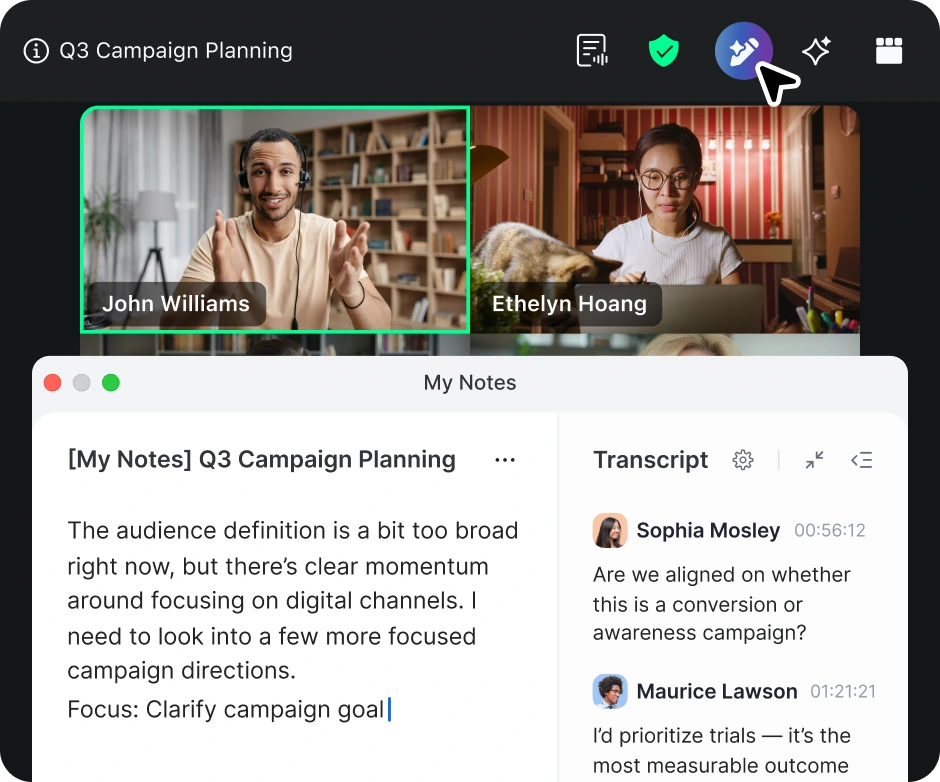
What makes Zoom Sheets especially powerful is its deep connection to the rest of Zoom Workplace. Conversations you have in Zoom Meetings don't have to stay locked in a transcript — they can flow directly into a structured spreadsheet where AI features in Zoom Workplace organize, categorize, and analyze the information for you. It's a seamless bridge from discussion to data, from talking about numbers to actually working with them.
 
Whether you're a sales leader tracking pipeline health, a marketer measuring campaign performance, or a project manager organizing action items from a dozen different meetings, Zoom Sheets gives you a faster, smarter way to get from raw information to real insight. And because it lives inside Zoom Workplace alongside your meetings, chat, docs, and whiteboards, there's no context-switching — just one connected workflow.
 

Turn your meeting data into clear insights — no formulas required.

How to create your first Zoom Sheet

Getting started with Zoom Sheets is straightforward, and there are several ways to jump in depending on how you prefer to work. All your sheets are stored in Zoom Hub alongside your other Zoom assets — meeting summaries, recordings, docs, and whiteboards — so everything stays organized in one place.
 

Start from a blank sheet

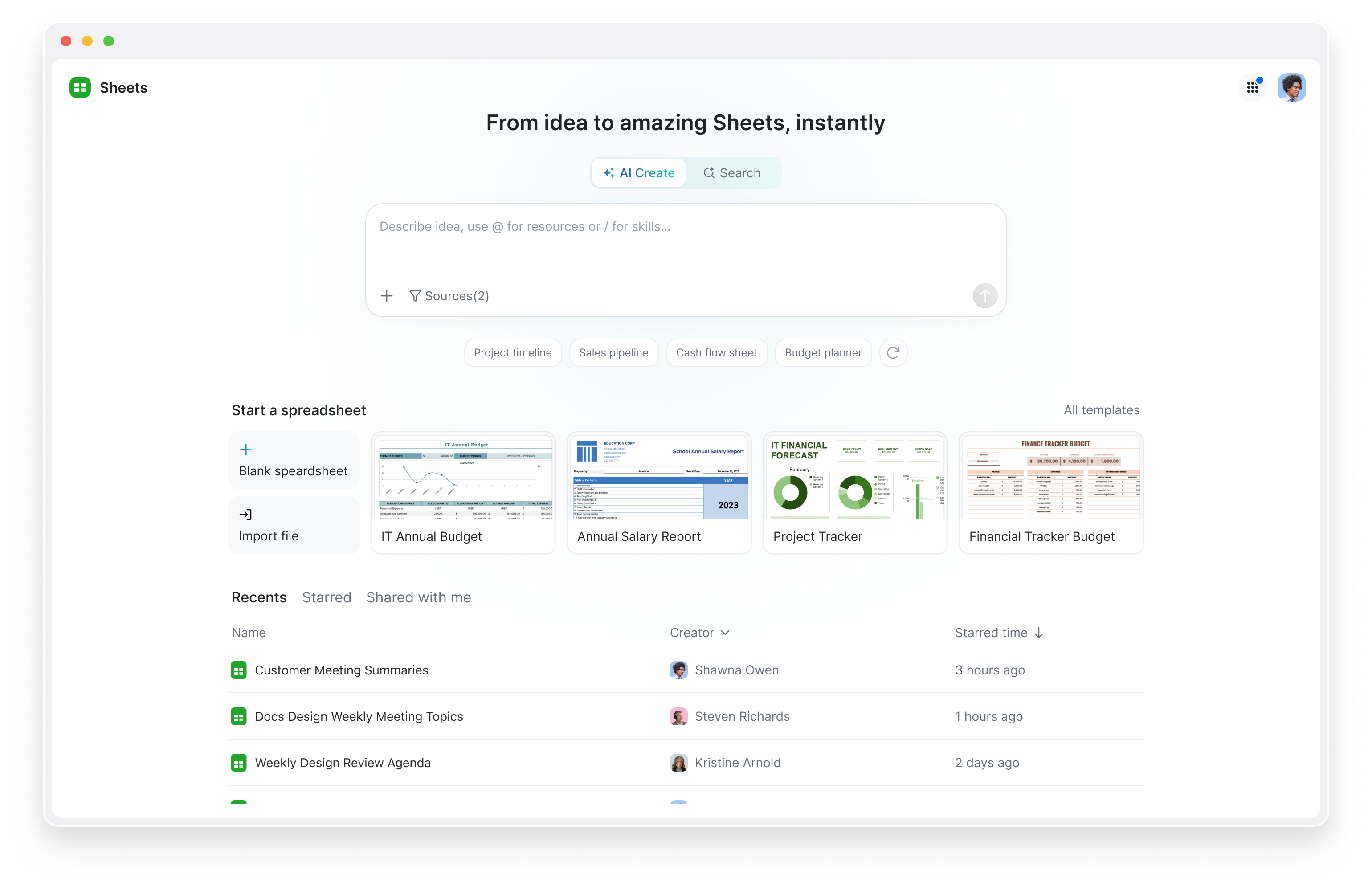
Open the Zoom Workplace desktop or mobile app and navigate to Zoom Hub. From there, select the option to create a new Zoom Sheet. You'll start with a clean canvas where you can begin entering data manually, paste content from another source, or — better yet — use AI features to help you build out the structure. Describe the kind of spreadsheet you need in plain language, and AI features will generate columns, headers, and even sample data to get you going.
 

Create a sheet from a meeting

This is where Zoom Sheets truly shines. After a Zoom Meeting, you can pull in meeting summaries, transcripts, and action items directly into a new sheet. AI features will parse the conversation and organize it into structured rows and columns — turning a free-flowing discussion into trackable, sortable data. Imagine finishing a client call and having a neatly organized spreadsheet of action items, owners, and deadlines waiting for you moments later.
 

Import existing data

Already have data in another spreadsheet or file? You can import .xlsx and .csv files directly into Zoom Sheets. Once your data is in, smart data ingestion takes over — cleaning up inconsistencies, standardizing formats, and getting everything into shape with just one click. No more spending the first 30 minutes of your analysis just tidying up the data.
 

Use AI to generate a sheet from scratch

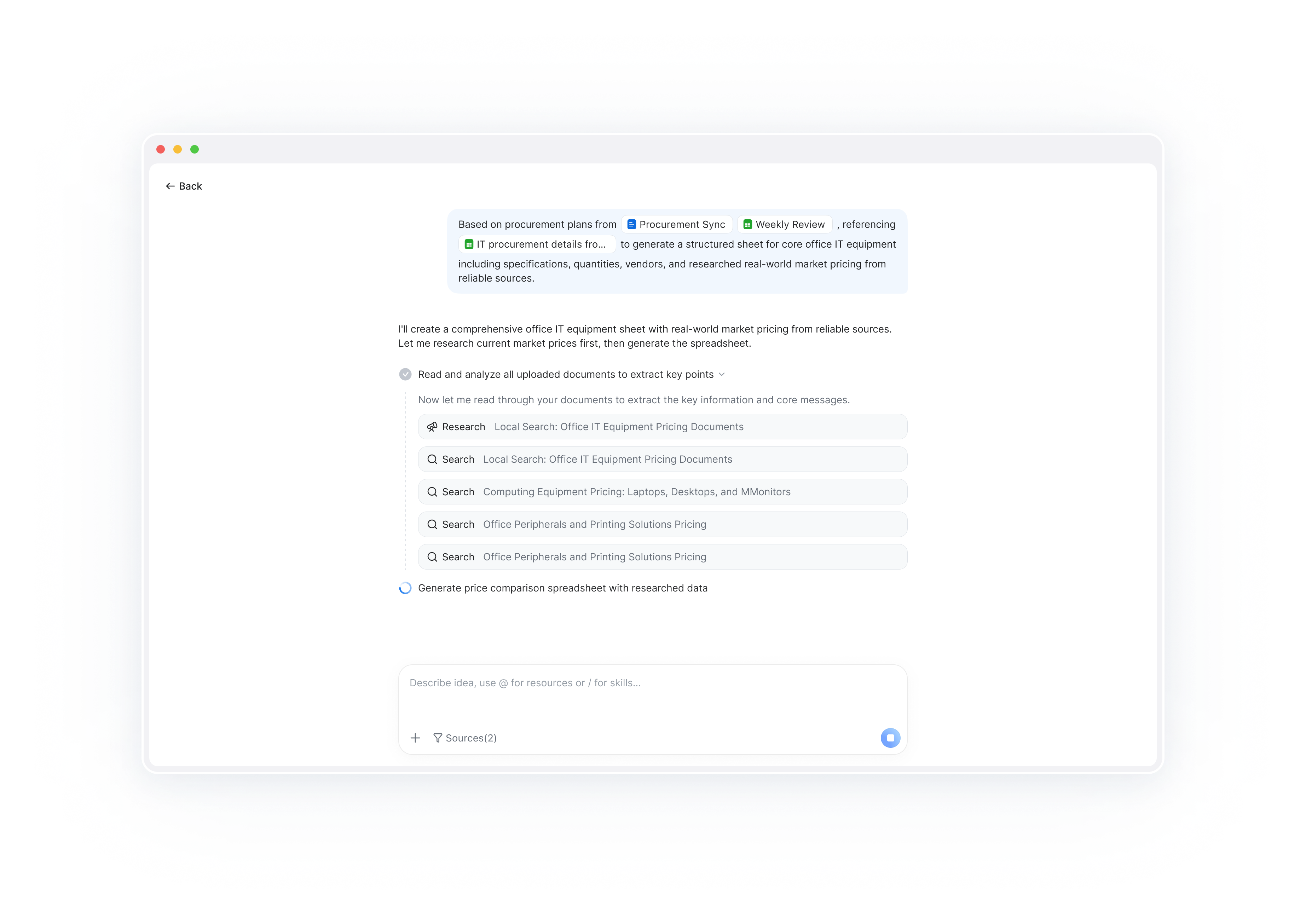
From the Hub homepage, you can use the AI create sheets entry point to describe what you need in natural language. Tell AI features something like "create a project tracker with columns for task name, owner, status, priority, and due date," and it will build the sheet for you. You can also select existing files in Hub and ask AI features to extract and organize data from them into a new sheet.

 

Key features: let AI do the heavy lifting

Zoom Sheets is packed with capabilities designed to make data work feel less like work. Here's a closer look at the features that set it apart from traditional spreadsheets.
 

Natural language prompts

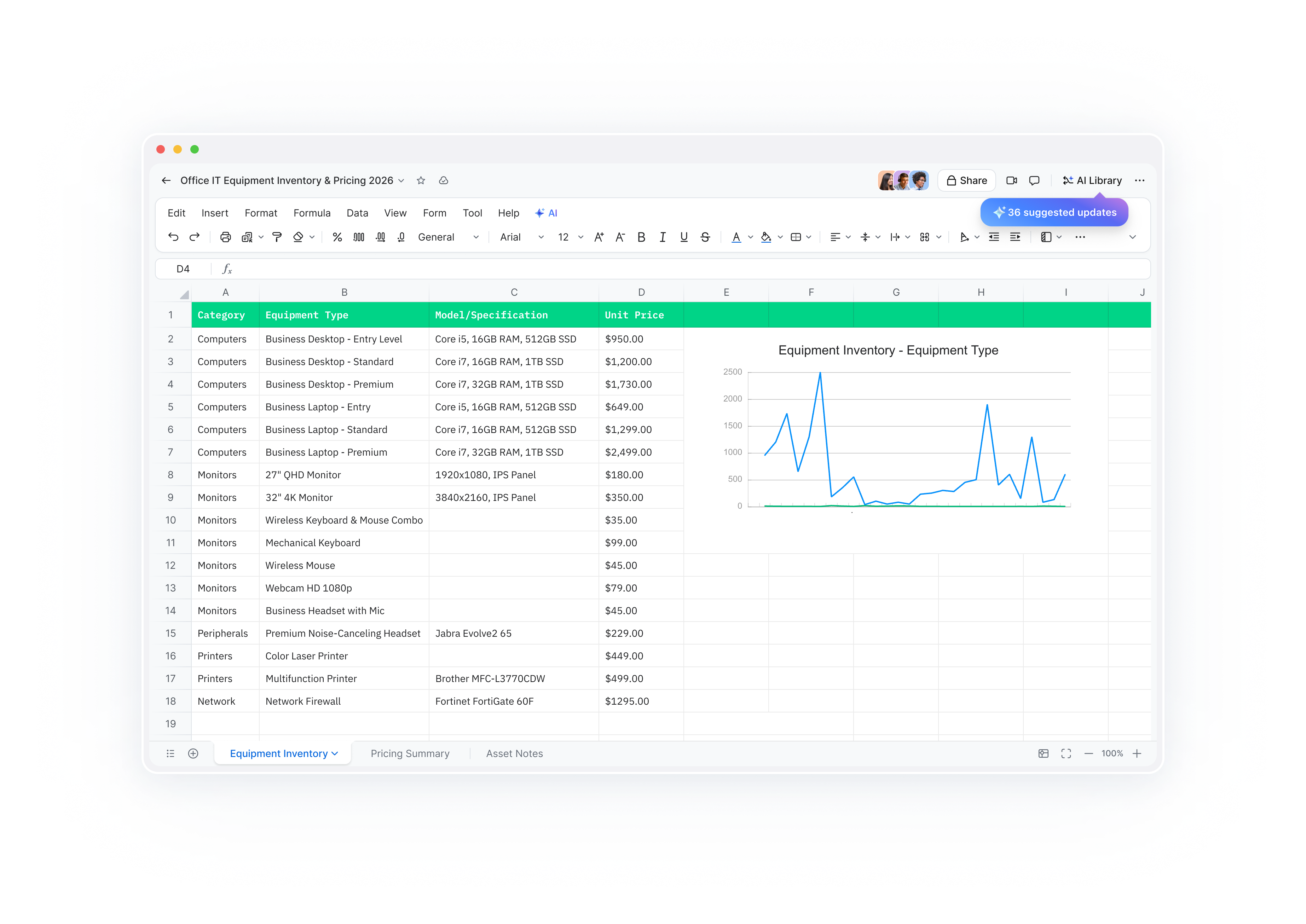
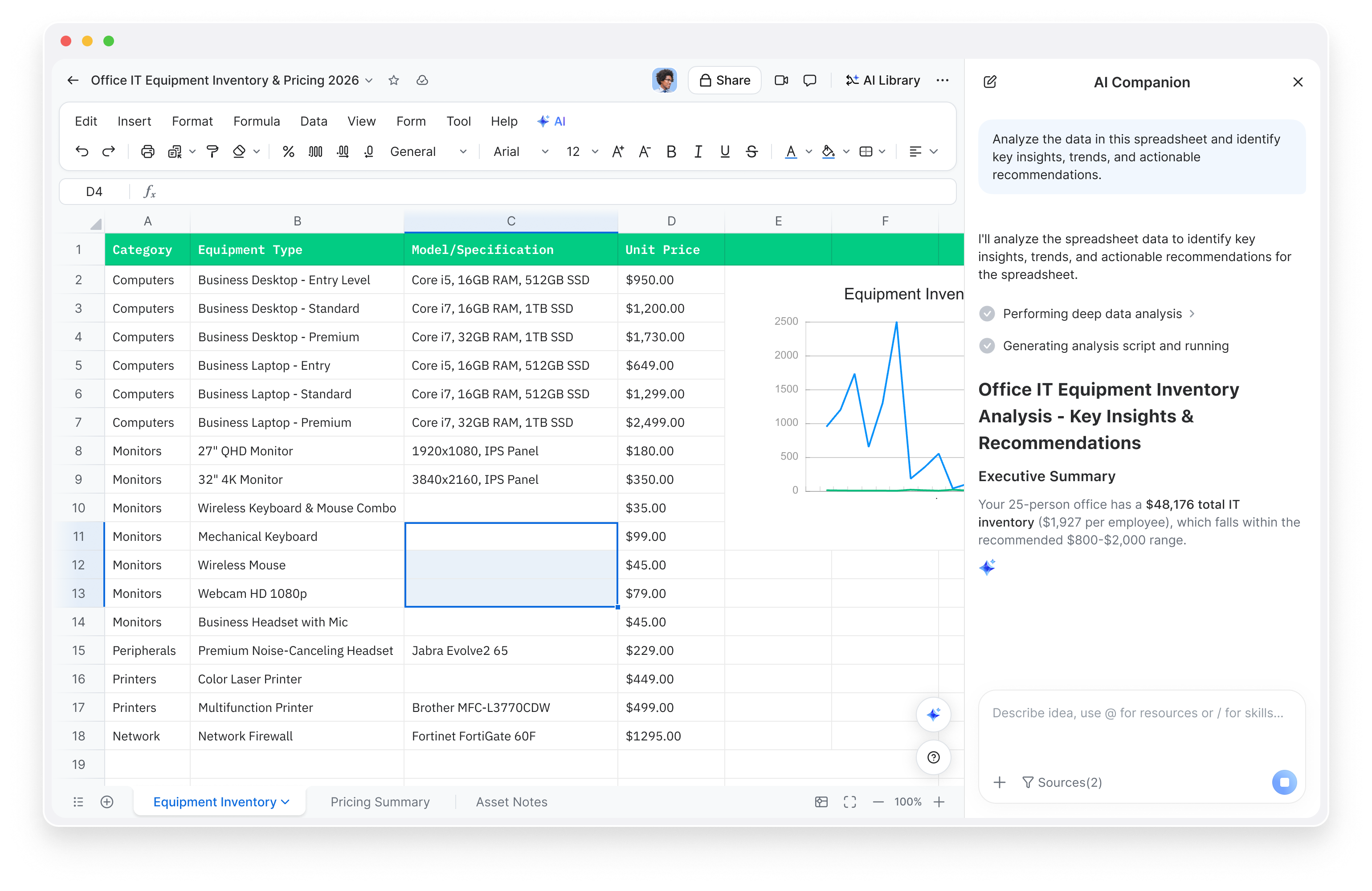
  • Instead of writing queries or formulas, describe what you need in plain language — 'show me revenue by region this quarter' — and Zoom Sheets returns answers, analysis, and visualizations instantly.

AI-generated formulas

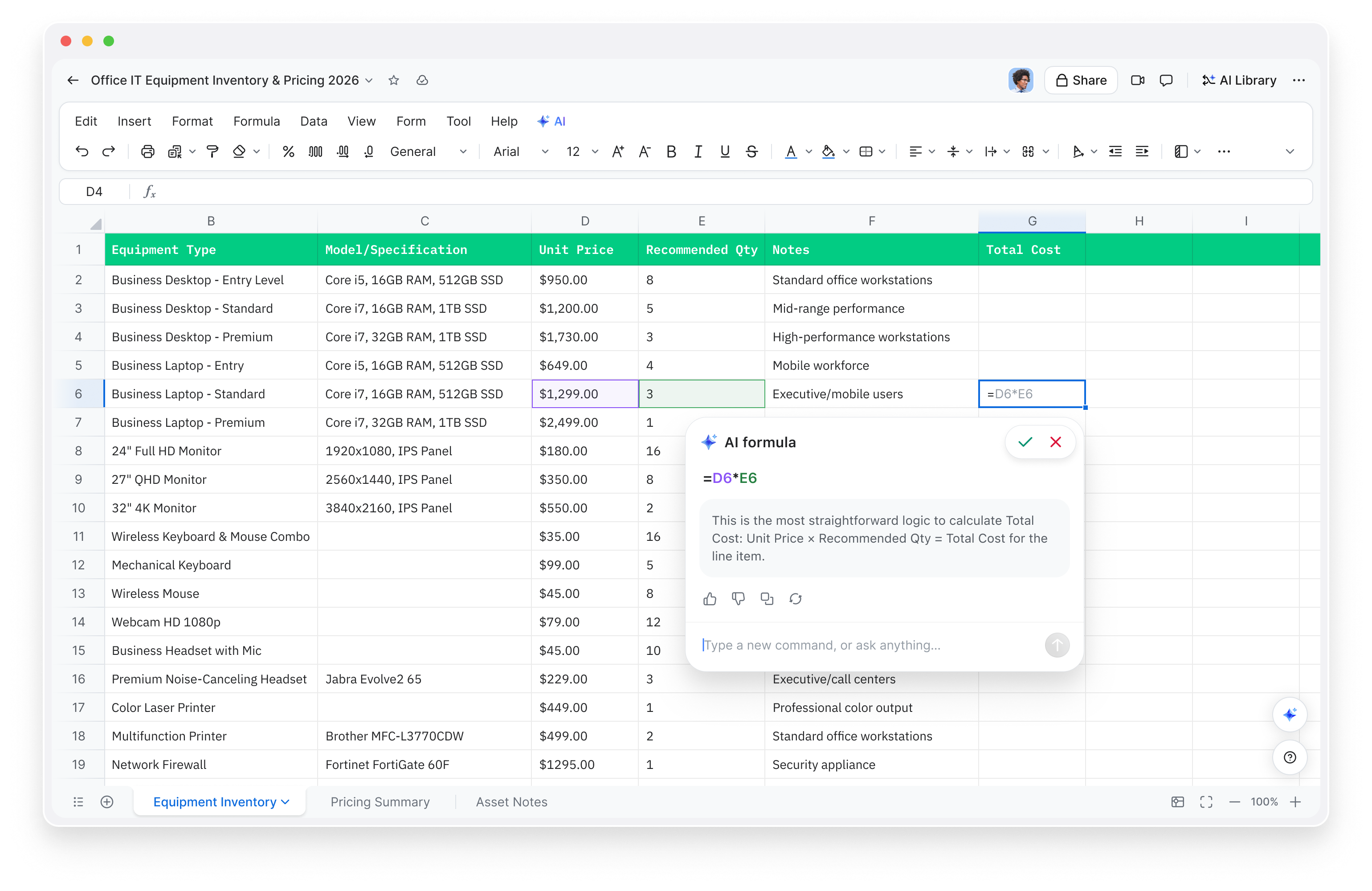
  • Need a formula but can't remember the syntax? Just describe what you want to calculate, and Zoom Sheets writes the formula for you. It can even predict and recommend formulas based on your data patterns.

Smart data cleaning

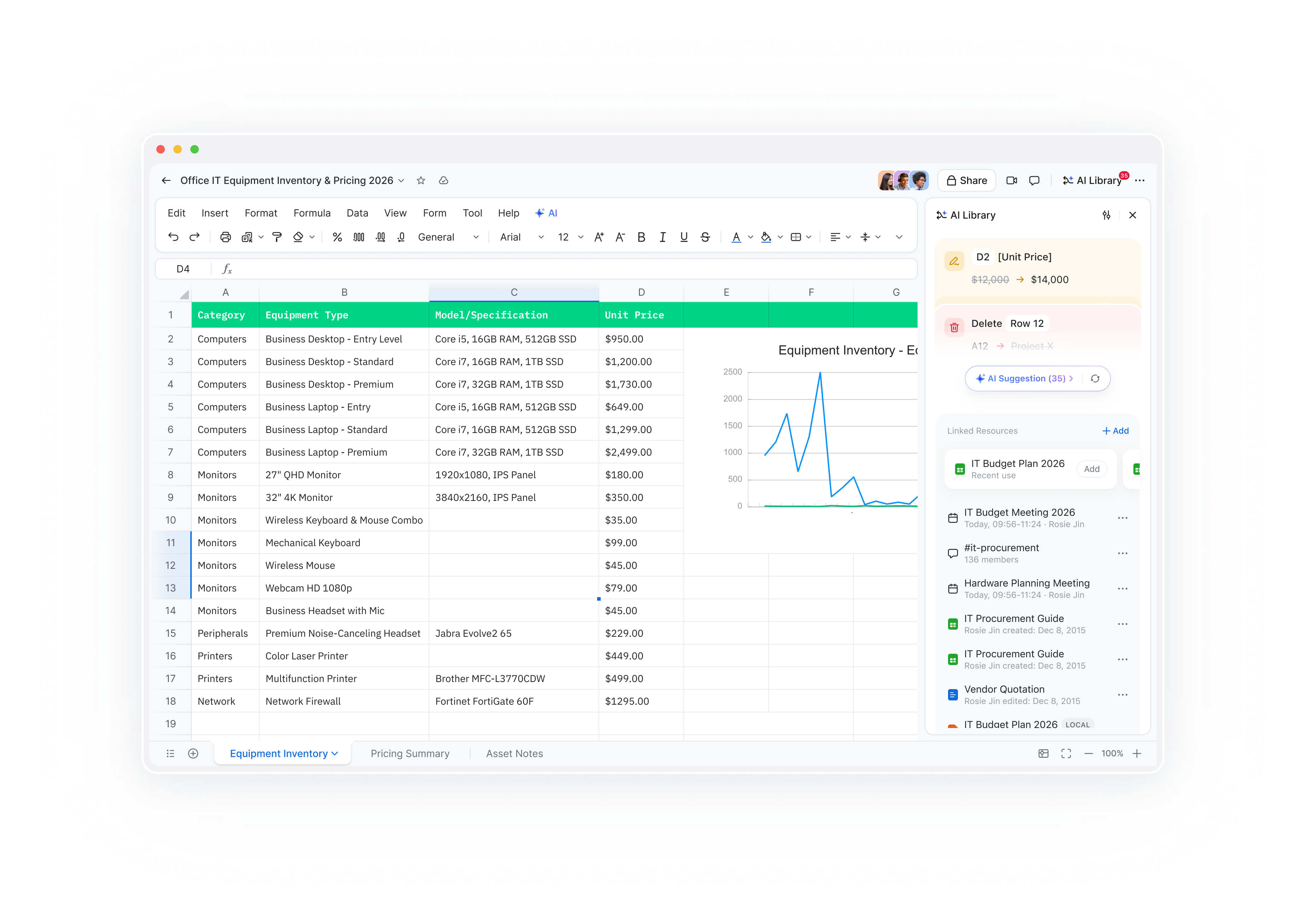
  • Imported data is rarely perfect. Zoom Sheets' one-click cleaning standardizes formats, fixes inconsistencies, and transforms messy data into analysis-ready spreadsheets in seconds.

Proactive insights

  • Zoom Sheets doesn't wait for you to ask — it spots anomalies, surfaces trends, and uncovers patterns in your data automatically, giving you proactive insights that might otherwise go unnoticed.

Meeting-to-data bridge

  • Seamlessly transform meeting transcripts, summaries, and action items into structured spreadsheet data. The conversation doesn't end when the meeting does — it becomes actionable data.

AI functions & analysis

  • Go beyond basic calculations with AI functions that can summarize, categorize, and analyze data across your sheet. Zoom Sheets handles the analysis so you can focus on making decisions.

Version history and collaboration

  • Just like other Zoom Workplace tools, Zoom Sheets supports version history so you can track changes over time and revert to earlier versions if needed. Share your sheets with colleagues, set granular permissions, and collaborate in real time.
You can also integrate Zoom Sheets into your broader workflows using Zoom's developer capabilities, including OpenAPI, webhooks, and the Model Context Protocol (MCP), making it easy to connect your spreadsheet data with the other tools your team relies on.

Ask questions. Get answers. Skip the formulas.

How teams are using Zoom Sheets

Zoom Sheets is designed to bridge the gap between meetings and data across every department. Here's how different teams can put it to work.
 

Sales

Capture deal discussions in meetings, then turn those conversations into structured spreadsheet data — ask questions like 'show me deals closing this quarter' and Zoom Sheets analyzes pipeline health instantly. Instead of spending hours building reports and writing VLOOKUP formulas, your team can focus on closing deals while Zoom Sheets keeps the data organized and the insights flowing.
 

Marketing

Marketing teams can turn meeting discussions about campaign performance into spreadsheet data, then ask Zoom Sheets to analyze metrics and create visualizations in seconds — without having to build manual reports. Ask questions like "which channels drove the most conversions?" and get immediate, data-backed answers that help you allocate budget and refine strategy.
 

Professional services

Turn client discussions into structured spreadsheet data where Zoom Sheets synthesizes insights across engagements. Zoom Sheets can identify recurring themes, track action items across multiple client accounts, and enable a seamless flow from meeting to decision-making — helping your team deliver more value without drowning in administrative overhead.
 

Customer success

No need to build reports manually. Instead, analyze customer discussions and feedback with AI-first spreadsheets that track customer health metrics over time. AI features in Zoom Workplace can help identify at-risk accounts and surface trends through simple questions like "which customers need immediate attention?" — so your team can be proactive rather than reactive.

Ready to get started?

Zoom Sheets is included with eligible Zoom Workplace paid accounts as part of the Zoom AI Productivity Suite. For full access to all AI features in Zoom Sheets, get ZoomMate — the best way to use AI in Zoom Workplace.
 
ZoomMate brings together the entire Zoom AI Productivity Suite alongside everything else you need to turn conversations into finished work. Both ZoomMate and the Zoom AI Productivity Suite are now available for purchase and include AI Credits for metered AI actions.
 
Please note that availability may vary by customer type, region, and industry vertical at launch, with broader rollout expected throughout the year.


From meeting to insight — without the spreadsheet grind.

Try ZoomMate and let AI turn your conversations into structured data, clear analysis, and actionable insights.

Our customers love us

Okta
Nasdaq
Rakuten
Logitech
Western Union
Autodesk
Dropbox
Okta
Nasdaq
Rakuten
Logitech
Western Union
Autodesk
Dropbox

Zoom - One Platform to Connect