Spend less time searching and more time getting work done with Zoom Hub — the only file sharing app you need for your Zoom content and conversations.

Harness knowledge
Quickly find the decisions, discussions, and details you need
Fuel collaboration
Share context and knowledge seamlessly across teams and projects
Unlock time savings
Reduce information hunting and repetitive "catch me up" conversations
The smartest way to organize,
manage, and create your Zoom
content
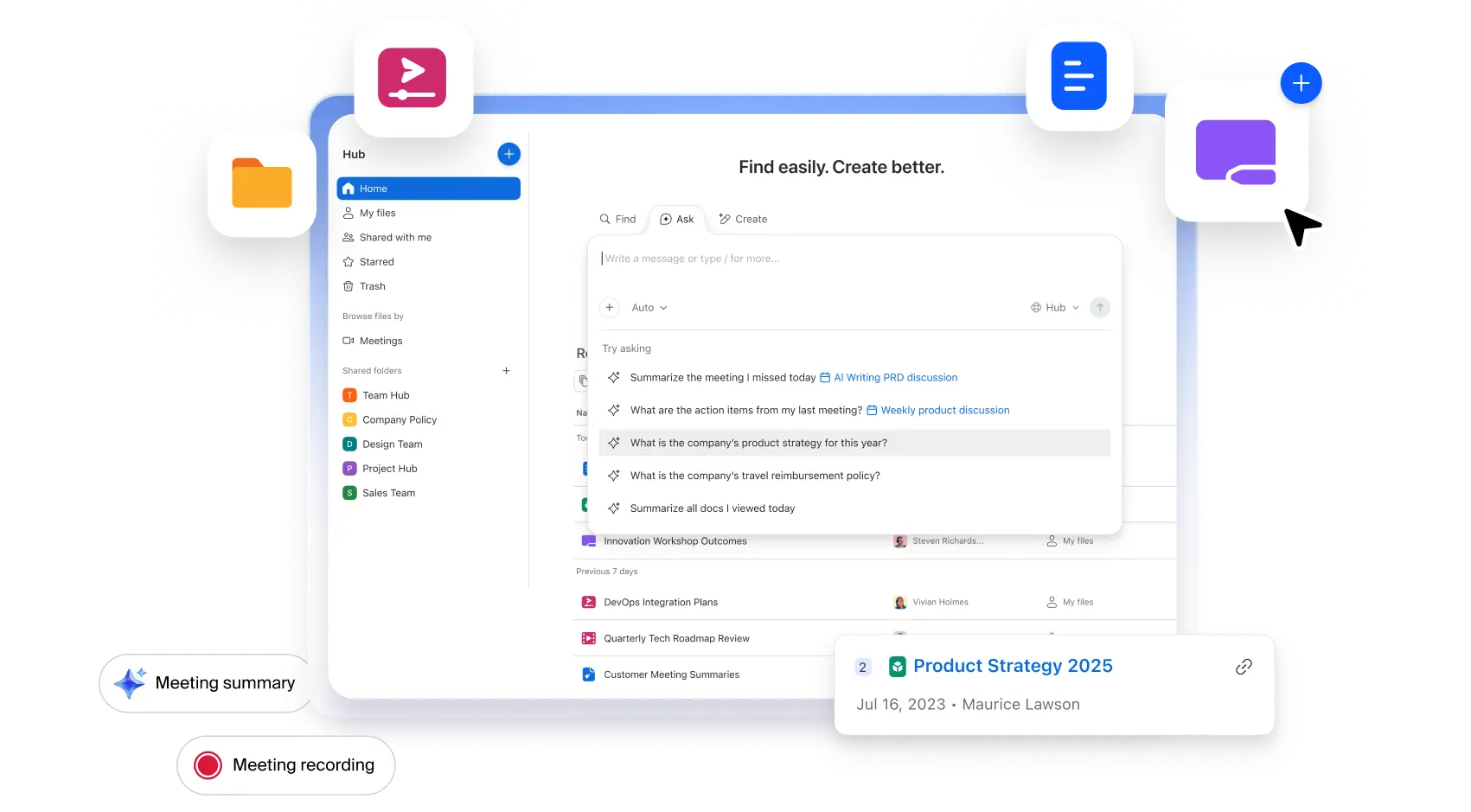
Hub's user-friendly dashboard lets you organize with folders, so you can easily access and find your files in one spot, or filter by recent content or files shared with you. Search, click, and open — get meeting recordings and summaries, docs, whiteboards, clips, and more, right at your fingertips.
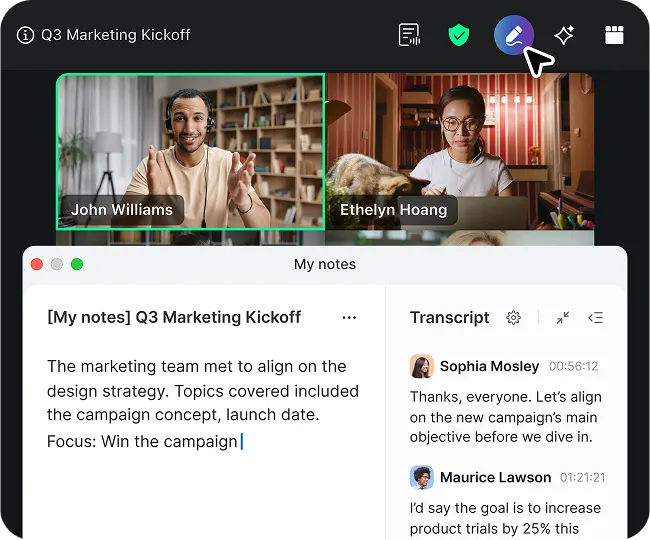
Select any file and get automatic AI-first summaries, answers, and analyses — all without opening a file or leaving Hub. Perfect for quick decision-making, meeting prep, and turning information overload into insights you can easily understand and use.
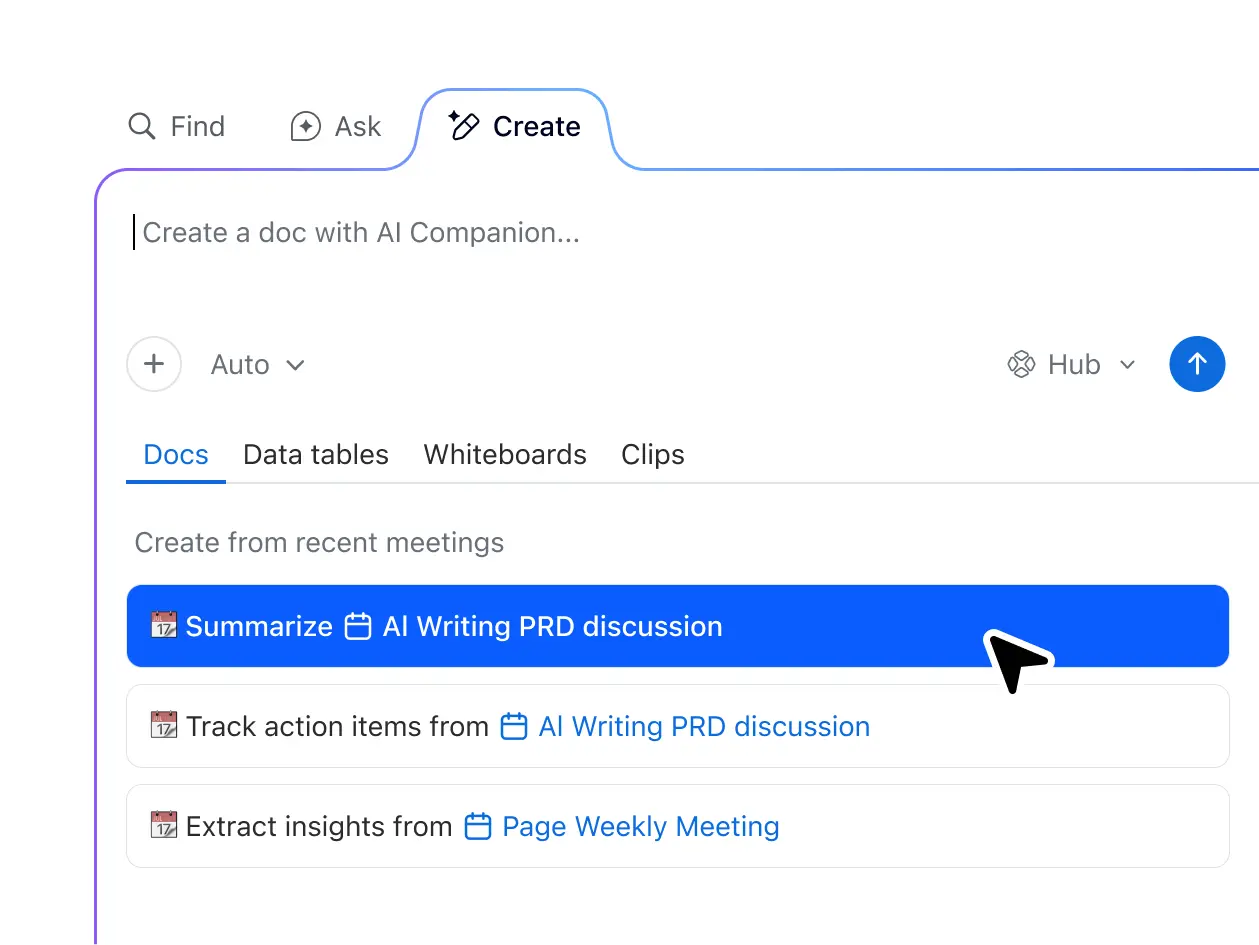
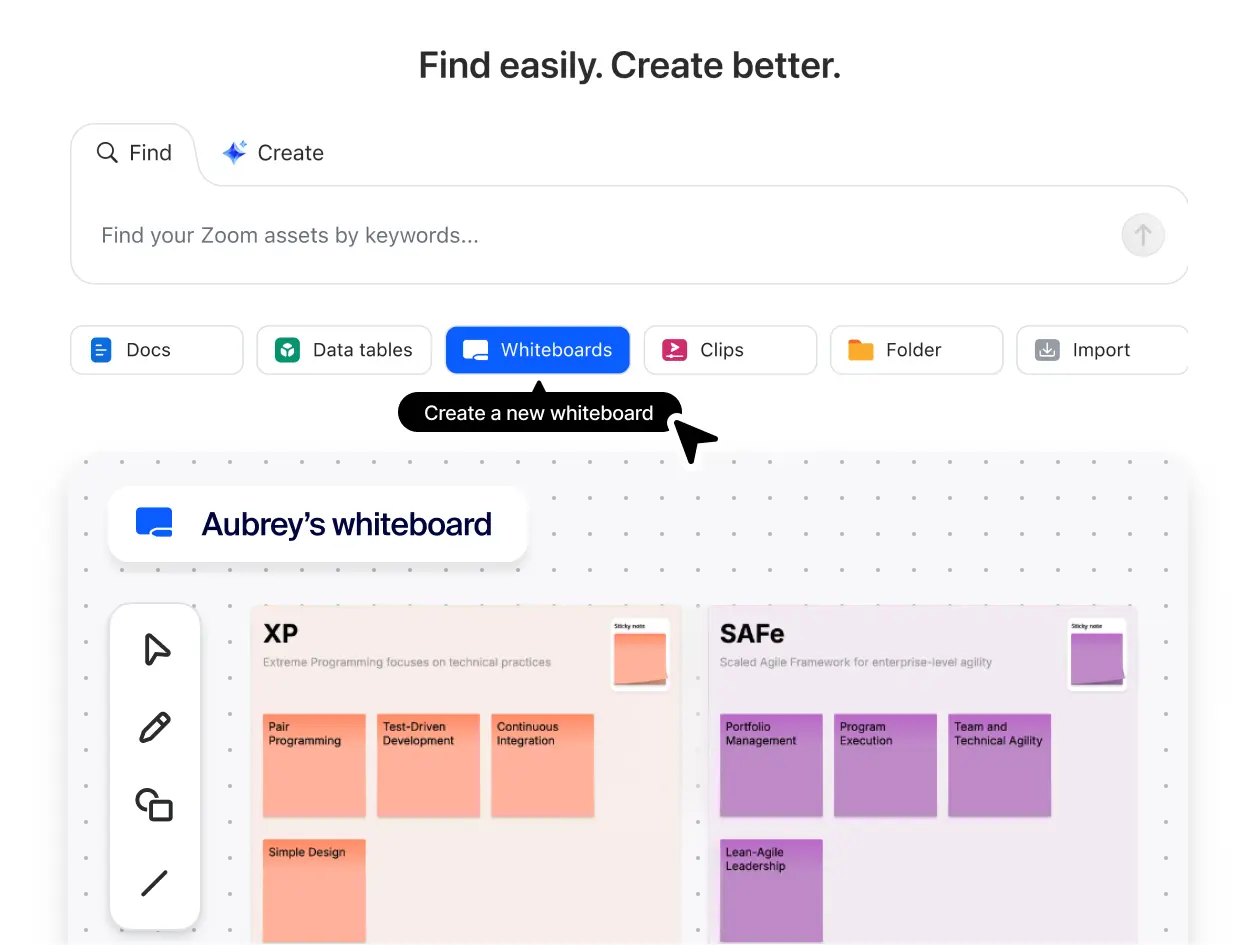
Speed up project kickoffs by instantly starting new Zoom Docs, data tables, Zoom Whiteboards, and Zoom Clips with one click. Boost productivity even further by using AI to create new content in seconds — right inside Hub.
Zoom: Trusted by industry experts,
loved by customers
4.5/5
out of 7.9k+ reviews
4.5/5
out of 54.9k+ reviews
8.3/10
out of 5.8k+ reviews
Leader in The Forrester Wave™
UCaaS Platforms,
Q3 2025
Learn more about Zoom Hub
-
Get started with Zoom Hub
Learn how quick and convenient access to your Zoom content improves work productivity and efficiency.
-
Organize and manage Zoom Docs in Hub
Docs is a flexible, collaborative solution for creating docs, wikis, tables, and more in Zoom Workplace.
-
10 ways to boost team collaboration and performance
Find out how the right communication and file sharing tools help teams collaborate efficiently and effectively.
Plans and pricing
for Zoom Workplace
Find out how to get more when you bundle with Zoom Workplace.
- Team Chat
-
Meetings
40 minutes max per meeting
100 participants max per meeting
-
Clips Basic
5 two-minute videos
- Calendar
-
Docs Basic
Share up to 10 docs
-
Tasks Basic
Manual entry
- Notes
-
Whiteboard Basic
3 editable boards
- Zoom Hub Basic
- Team Chat
- AI Companion
-
Cloud storage
10 GB
-
Custom Avatars
3 minutes per month
- Workflow Automation
-
Essential Apps
Free for 1 year (terms apply)
- Live Chat Support
-
Meetings
30 hours max per meeting
100 participants max per meeting
-
Clips Plus
Unlimited
- Calendar
-
Docs
Unlimited
-
Tasks
AI-first task management
- Notes
-
Whiteboard Basic
3 editable boards
- Zoom Hub
- Team Chat
- AI Companion
-
Cloud storage
10 GB
-
Custom Avatars
3 minutes per month
- Workflow Automation
-
Essential Apps
Free for 1 year (terms apply)
- Live Chat Support
-
Meetings
30 hours max per meeting
100 participants max per meeting
-
Clips Plus
Unlimited
- Calendar
-
Docs
Unlimited
-
Tasks
AI-first task management
- Notes
-
Whiteboard Basic
3 editable boards
- Zoom Hub
- Team Chat
-
Extras
SSO, managed domains & more
- Scheduler
- AI Companion
-
Cloud storage
10 GB
-
Custom Avatars
3 minutes per month
- Workflow Automation
-
Essential Apps
Free for 1 year (terms apply)
- Live Chat Support
-
Meetings
30 hours max per meeting
300 participants max per meeting
-
Clips Plus
Unlimited
- Calendar
-
Docs
Unlimited
-
Tasks
AI-first task management
- Notes
-
Whiteboard
Unlimited
- Zoom Hub
- Team Chat
-
Extras
SSO, managed domains & more
- Scheduler
- AI Companion
-
Cloud storage
10 GB
-
Custom Avatars
3 minutes per month
- Workflow Automation
-
Essential Apps
Free for 1 year (terms apply)
- Live Chat Support
-
Meetings
30 hours max per meeting
300 participants max per meeting
-
Clips Plus
Unlimited
- Calendar
-
Docs
Unlimited
-
Tasks
AI-first task management
- Notes
-
Whiteboard
Unlimited
- Zoom Hub
Plans and pricing
for Zoom Workplace
Find out how to get more when you bundle with Zoom Workplace.
- Team Chat
-
Meetings
40 minutes max per meeting
100 participants max per meeting
-
Clips Basic
5 two-minute videos
- Calendar
-
Docs Basic
Share up to 10 docs
-
Tasks Basic
Manual entry
- Notes
-
Whiteboard Basic
3 editable boards
- Zoom Hub Basic
- Team Chat
- AI Companion
-
Cloud storage
10 GB
-
Custom Avatars
3 minutes per month
- Workflow Automation
-
Essential Apps
Free for 1 year (terms apply)
- Live Chat Support
-
Meetings
30 hours max per meeting
100 participants max per meeting
-
Clips Plus
Unlimited
- Calendar
-
Docs
Unlimited
-
Tasks
AI-first task management
- Notes
-
Whiteboard Basic
3 editable boards
- Zoom Hub
- Team Chat
- AI Companion
-
Cloud storage
10 GB
-
Custom Avatars
3 minutes per month
- Workflow Automation
-
Essential Apps
Free for 1 year (terms apply)
- Live Chat Support
-
Meetings
30 hours max per meeting
100 participants max per meeting
-
Clips Plus
Unlimited
- Calendar
-
Docs
Unlimited
-
Tasks
AI-first task management
- Notes
-
Whiteboard Basic
3 editable boards
- Zoom Hub
- Team Chat
-
Extras
SSO, managed domains & more
- Scheduler
- AI Companion
-
Cloud storage
10 GB
-
Custom Avatars
3 minutes per month
- Workflow Automation
-
Essential Apps
Free for 1 year (terms apply)
- Live Chat Support
-
Meetings
30 hours max per meeting
300 participants max per meeting
-
Clips Plus
Unlimited
- Calendar
-
Docs
Unlimited
-
Tasks
AI-first task management
- Notes
-
Whiteboard
Unlimited
- Zoom Hub
- Team Chat
-
Extras
SSO, managed domains & more
- Scheduler
- AI Companion
-
Cloud storage
10 GB
-
Custom Avatars
3 minutes per month
- Workflow Automation
-
Essential Apps
Free for 1 year (terms apply)
- Live Chat Support
-
Meetings
30 hours max per meeting
300 participants max per meeting
-
Clips Plus
Unlimited
- Calendar
-
Docs
Unlimited
-
Tasks
AI-first task management
- Notes
-
Whiteboard
Unlimited
- Zoom Hub
Plans and pricing
for Zoom Workplace
Find out how to get more when you bundle with Zoom Workplace.
- Team Chat
-
Meetings
40 minutes max per meeting
100 participants max per meeting
-
Clips Basic
5 two-minute videos
- Calendar
-
Docs Basic
Share up to 10 docs
-
Tasks Basic
Manual entry
- Notes
-
Whiteboard Basic
3 editable boards
- Zoom Hub Basic
- Team Chat
- AI Companion
-
Cloud storage
10 GB
-
Custom Avatars
3 minutes per month
- Workflow Automation
-
Essential Apps
Free for 1 year (terms apply)
- Live Chat Support
-
Meetings
30 hours max per meeting
100 participants max per meeting
-
Clips Plus
Unlimited
- Calendar
-
Docs
Unlimited
-
Tasks
AI-first task management
- Notes
-
Whiteboard Basic
3 editable boards
- Zoom Hub
- Team Chat
- AI Companion
-
Cloud storage
10 GB
-
Custom Avatars
3 minutes per month
- Workflow Automation
-
Essential Apps
Free for 1 year (terms apply)
- Live Chat Support
-
Meetings
30 hours max per meeting
100 participants max per meeting
-
Clips Plus
Unlimited
- Calendar
-
Docs
Unlimited
-
Tasks
AI-first task management
- Notes
-
Whiteboard Basic
3 editable boards
- Zoom Hub
- Team Chat
-
Extras
SSO, managed domains & more
- Scheduler
- AI Companion
-
Cloud storage
10 GB
-
Custom Avatars
3 minutes per month
- Workflow Automation
-
Essential Apps
Free for 1 year (terms apply)
- Live Chat Support
-
Meetings
30 hours max per meeting
300 participants max per meeting
-
Clips Plus
Unlimited
- Calendar
-
Docs
Unlimited
-
Tasks
AI-first task management
- Notes
-
Whiteboard
Unlimited
- Zoom Hub
- Team Chat
-
Extras
SSO, managed domains & more
- Scheduler
- AI Companion
-
Cloud storage
10 GB
-
Custom Avatars
3 minutes per month
- Workflow Automation
-
Essential Apps
Free for 1 year (terms apply)
- Live Chat Support
-
Meetings
30 hours max per meeting
300 participants max per meeting
-
Clips Plus
Unlimited
- Calendar
-
Docs
Unlimited
-
Tasks
AI-first task management
- Notes
-
Whiteboard
Unlimited
- Zoom Hub
Got questions? We’ve got answers.
Zoom Hub is a file sharing tool within the Zoom Workplace platform that organizes and provides quick access to your Zoom content, including meeting recordings, summaries, docs, whiteboards, and screen recording clips. It serves as the go-to place for finding, managing, and sharing assets — eliminating the need for app switching and reducing time spent searching for content.
A file sharing tool is software or a platform that enables users to manage digital files over the internet. File sharing tools like Zoom Hub are designed to provide secure access to documents, video clips, and other files from any compatible device while facilitating collaboration between teams and individuals on the Zoom platform.
Zoom Hub is used for organizing, managing, and sharing your Zoom content (including meeting recordings, summaries, docs, data tables, whiteboards, and clips) in one centralized location, eliminating app switching and reducing search time while enabling content creation directly within Hub.
Users must have a free or paid Zoom account to access Zoom Hub and its folder management and file sharing features. If you do not have a Zoom account, you must first create one at zoom.us. After creating your account, download the Zoom Workplace app and access Hub in the menu or through a meeting card.
If you're already signed in to your Zoom account, click to start exploring Zoom Hub.
Within Zoom Hub, you can organize files by project or meeting using shared folders, making it easy for collaborators to find and access the resources they need before, during, or after meetings. You can also share files directly from within documents while working on them, allowing for real-time collaboration and seamless integration with your content creation process.
Additionally, Zoom Team Chat provides another convenient way to share files through direct messages or group conversations, enabling quick distribution of documents, whiteboards, or other materials to specific colleagues or teams.
These multiple sharing options give you flexibility to share files through whichever method best fits your workflow and collaboration needs.
Secure file transfer refers to the process of transmitting digital files between users or systems with enhanced protection measures that help safeguard data during transit and storage. Zoom Hub provides secure file transfer capabilities through encryption, access controls, and authentication protocols that are designed to protect your sensitive information when sharing documents, meeting recordings, and other content with team members or external collaborators.
Zoom's document sharing features include robust security measures such as end-to-end encryption, granular access controls, and secure authentication to help protect sensitive information. Additionally, Zoom provides permission-based sharing options that let you control who can view, edit, or download shared content, along with detailed audit logs that track document access and modifications to support compliance and security monitoring.
Discover other products that work
with Zoom Hub
Zoom AI Companion is available with eligible paid Zoom Workplace plans. May not be available for all regions or industry verticals. Learn more